The Total theme makes it easy to select icons from its extensive built-in library. You can also upload and use your own custom SVG icons.
But what if you want to display an icon that is stored in a custom field, such as within a dynamic template or custom card?
If you are creating a custom card, you can use the built-in Icon field located in the Card Settings metabox instead of adding a custom field.
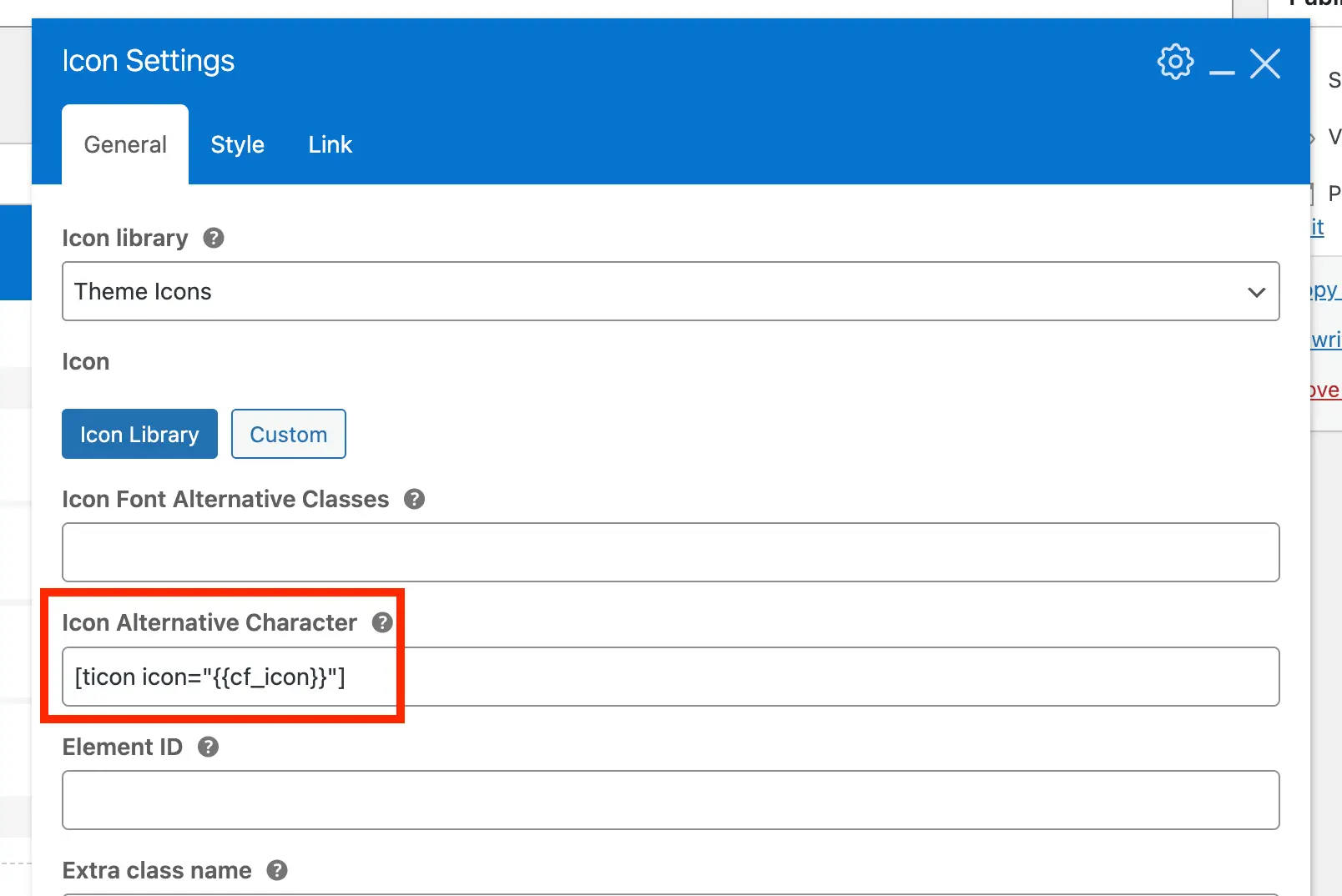
Fortunately, this is very simple to do. Simply combine the ticon shortcode with the custom field (cf) dynamic variable. For example:
[ticon icon=]In this example, icon refers to the custom field name.
Here is a visual example:
Adding support for selecting a custom field within the existing Icon selector would introduce unnecessary bloat, so it’s best to avoid that approach.
How to Create an Icon Custom Field?
To create a custom field for defining custom icons, we recommend using the built-in theme custom fields class. This allows you to register any number of metaboxes and custom fields for any post type.
Simply use the icon_select field type to add an icon selector field.