The Total theme is a premium WordPress product available exclusively on ThemeForest and each domain requires its own valid license. After purchasing and installing the theme, you can easily register your license through the WordPress dashboard.
To begin, go to Theme Panel > Theme License, enter your license key in the provided field, and click the activation button.
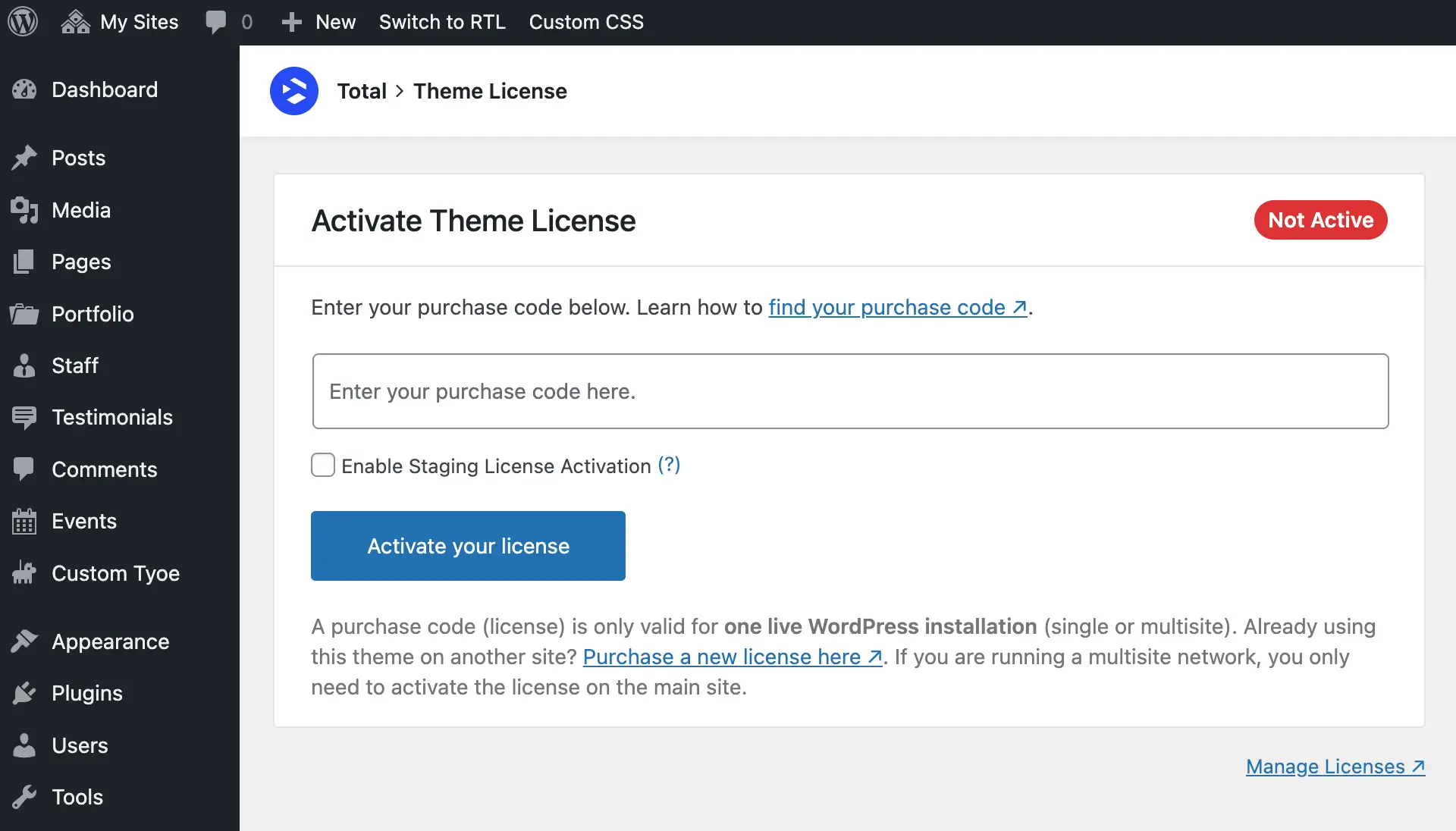
When you activate your license, the site will send a request to our server to register it to your current domain.
The only data stored on our server is your license key and domain name. No other information is sent, stored, or collected.
If you ever need to deactivate the license, you can do so directly from the same panel in WordPress or through the License Manager at my.totalwptheme.com.
Staging License Registration
The Total theme allows you to activate any valid license an unlimited number of times on staging sites so you can access all theme features and updates.
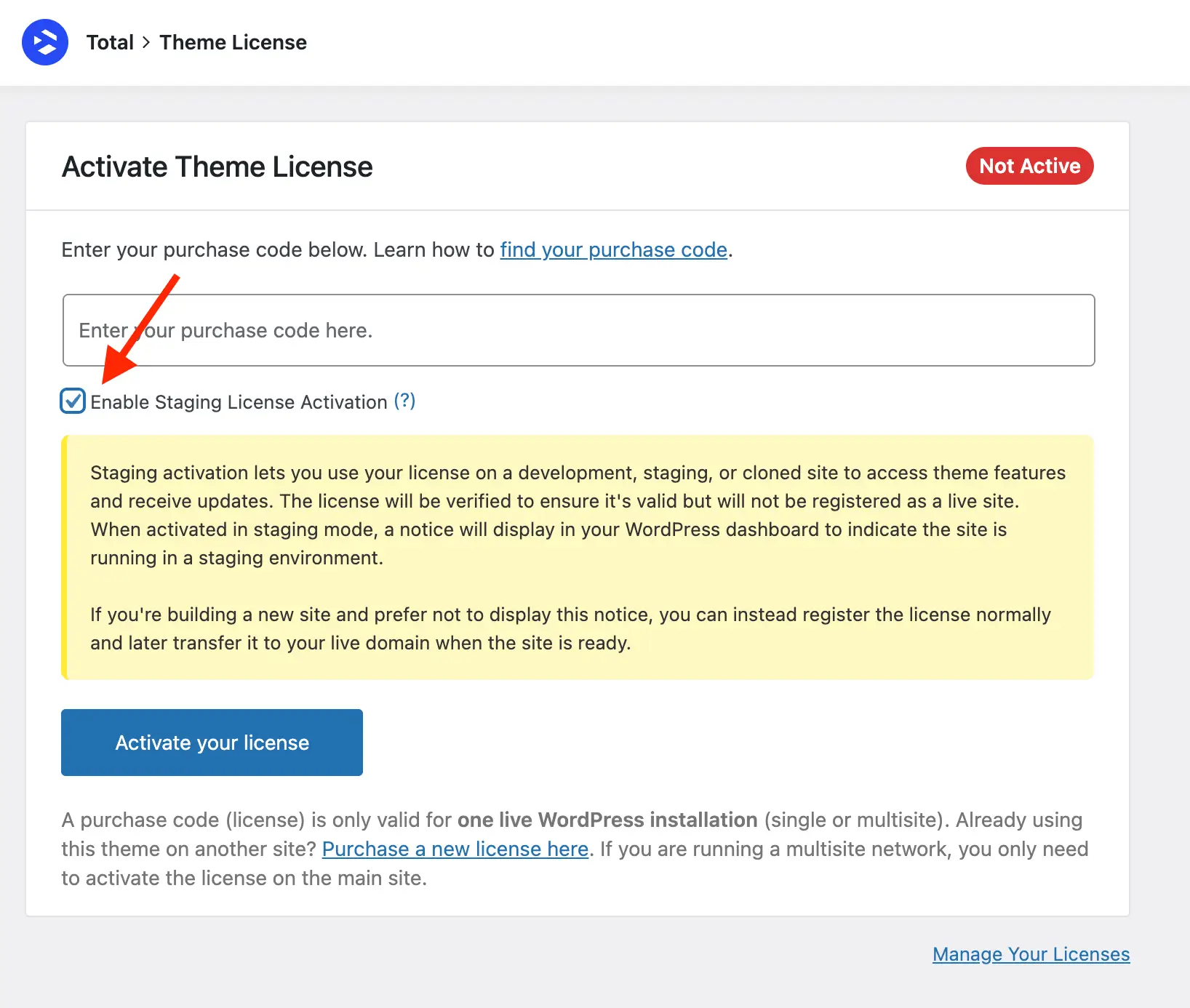
If you’re building a new site that will later go live, it’s generally recommended to activate your license normally on the development site. Once the site is live, you can easily deactivate the license on the development domain and transfer it to the live domain.
This feature is primarily designed for users who maintain a live website but also use staging environments for updates, testing, or development.
When a license is registered on a staging site, a permanent notice will appear in the WordPress admin to indicate that the site is not live. This helps prevent license misuse. If you do not wish to see this notice, simply register your license normally.
When you create a staging site from a live site that already has an active license, the theme will automatically detect that the license is in use and recognize the staging domain. In this case, it enables staging mode automatically, allowing the theme to remain active. This prevents duplicate license notices and removes the need to manually re-register the license for the staging environment.
Staging licenses can only be activated on domains or subdomains that meet one of the following conditions:
Top-Level Domains (TLDs):
- dev (example.dev)
- localhost
- .local (example.local)
- .test (example.test)
- .staging (example.staging)
- .example (example.example)
- .invalid (example.invalid)
Subdomains:
- dev.* (dev.example.com) this can also be implemented as follows:
- exampledev.* (exampledev.example.com)
- local.* (local.example.com)
- test.* (test.example.com)
- *.test.* (example.test.example.com)
- staging.* (staging.example.com)
- *.staging.* (example.staging.example.com)
- staging[0-9].* (staging6.example.com)
- *.staging[0-9].*(example.staging6.example.com)
- stage.* (stage.example.com)
- *.stage.* (example.stage.example.com)
Other Domains:
- dev-*.pantheonsite.io (dev-example.patheonsite.io)
- test-*.pantheonsite.io (test-example.pantheonsite.io)
- staging-*.kinsta.com (staging-example.kinsta.com)
- staging-*.kinsta.cloud (staging-example.kinsta.cloud)
- *.myftpupload.com (example.myftpupload.com)
- *.cloudwaysapps.com (example.cloudwaysapps.com)
- *.ngrok.io (example.ngrok.io)
- *-dev.ksysweb.com (example-dev.ksysweb.com)
- *-stg.ksysweb.com (example-stg.ksysweb.com)
- *stg.wpengine.com (examplestg.wpengine.com)
- *dev.wpengine.com (exampledev.wpengine.com)
- *stg.wpenginepowered.com (examplestg.wpenginepowered.com)
- *dev.wpenginepowered.com (exampledev.wpenginepowered.com)
- (For WordPress, Your Way sites) staging-[a-z0-9]+-.*.wpcomstaging.com (WordPress.com )
- *.flywheelstaging.com (example.flywheelstaging.com)
- autopilot-(.*)\.pantheonsite\.io (autopilot-example.pantheonsite.io)
- (For Dreamhost sites) *.stage.site (example.stage.site)
- (For Dreamhost sites) *.dream.press (example.dream.press)