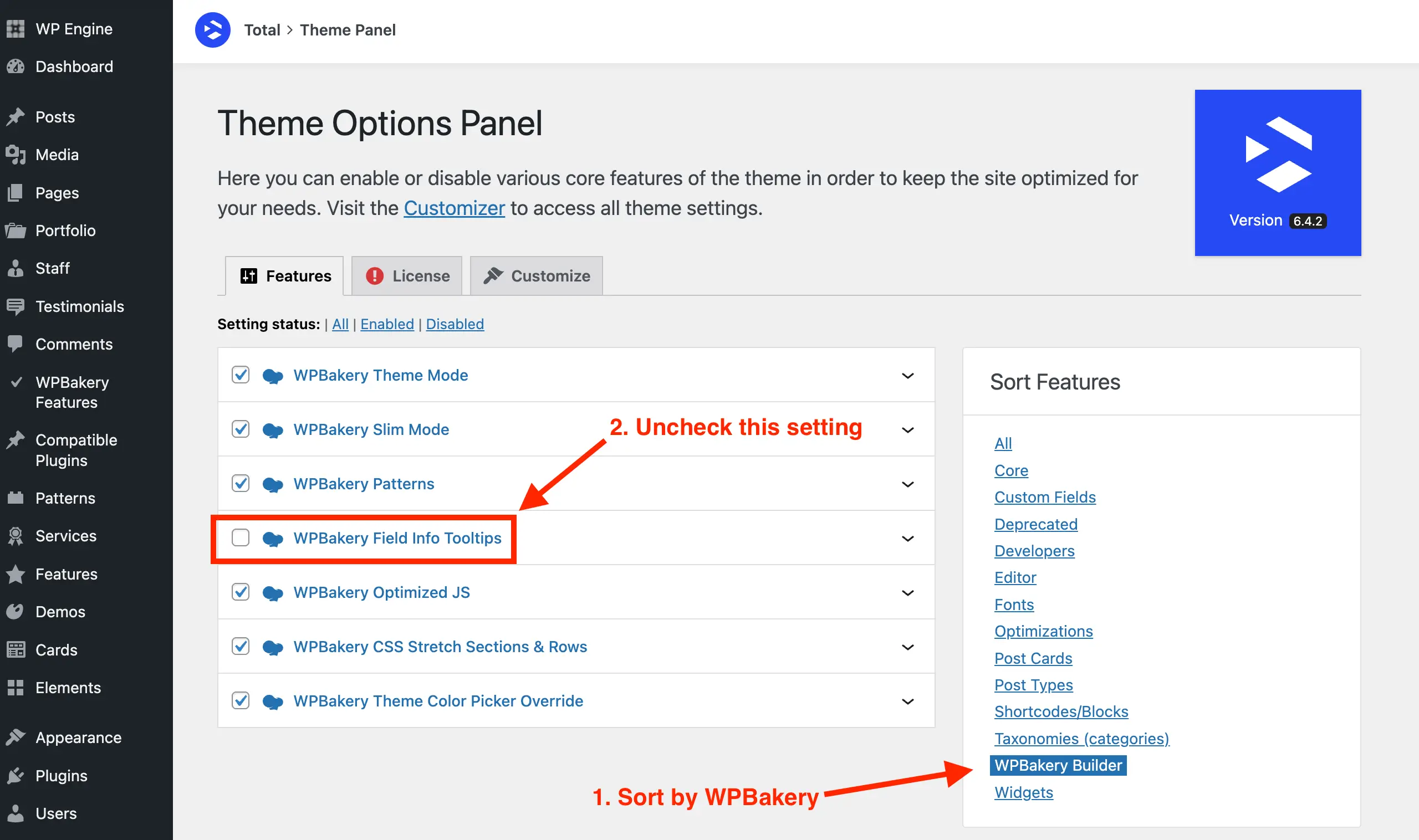
The WPBakery Page Builder includes Field Info Tooltips, which are small info icons that appear next to many settings in the element edit window, providing helpful descriptions. By default, these tooltips appear on hover, which can sometimes get in the way while editing elements. The Total theme changes this behavior so that tooltips display only when clicked.
If you prefer a cleaner editing interface, the Total theme also lets you easily disable these tooltips entirely.
- Log in to your WordPress site.
- Navigate to the Theme Panel.
- Sort the features by WPBakery Builder.
- Locate and disable the option labeled WPBakery Field Info Tooltips.