By default, testimonials are added in the backend via the Testimonials post type. However, due to customer requests, we’ve created a small plugin that allows you to display a testimonial submission form anywhere on your site. Visitors can use the form to submit their testimonials online, and each submission is automatically added to your site as a new “draft” testimonial for you to review and publish.
Important: The plugin is not currently available on WordPress.org which means it won’t receive automatic updates. If you use the plugin, be sure to watch the repository (instruction on Github) and if you have any issues open a ticket.
Plugin Usage
Simply use the shortcode [testimonial_form] anywhere on your site to display the form. If you are using the WPBakery page builder you can instead use the “Testimonial Form” element to easily add it to any page or template.
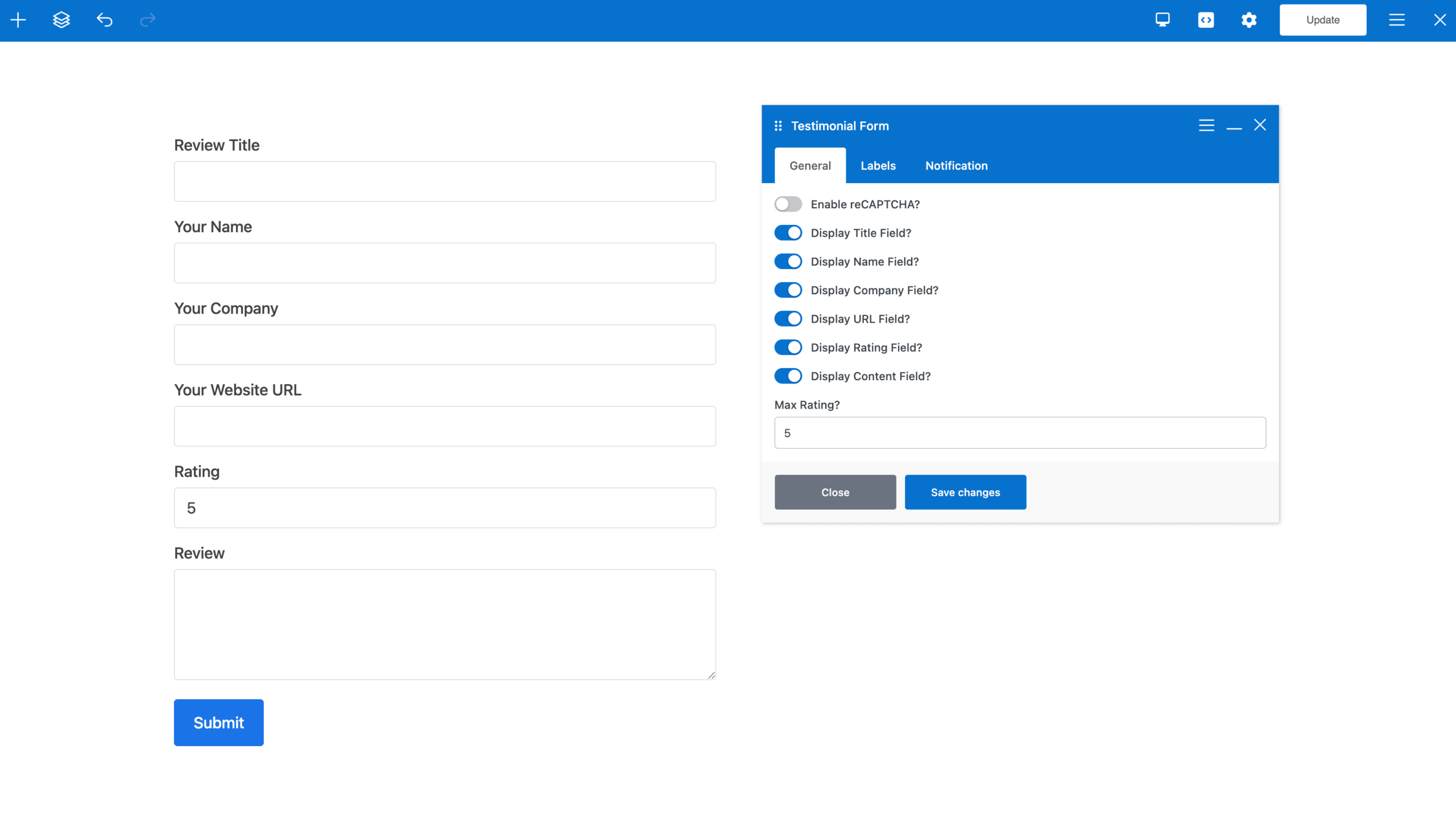
Shortcode Parameters
The following parameters are available in the shortcode:
Field Parameters
Parameters used to disable fields from the front-end. Set any one of these parameters to something besides “on” to disable.
- field_title
- field_name
- field_company
- field_url
- field_rating
- field_content
Sample usage:
[testimonial_form field_title="off"]
Label Parameters
Parameters used to alter the default text for the various form fields
- label_title
- label_name
- label_company
- label_url
- label_rating
- label_content
Sample usage:
[testimonial_form label_title="Testimonial Title"]
Other Parameters
- rating_max: Max number for the rating, default is 5
- content_rows: Number of rows for the content textarea box
- content_cols: Number of columns for the content textarea box
- submit: Custom submit button text
- success_message: Custom success message (set to empty to disable)
Preventing Spam
If you make the testimonial submission form publicly accessible, we recommend adding spam protection such as Google reCAPTCHA. Alternatively, you can keep the form private and only share it directly with customers.
Developer Notes
There are a couple filters available for tweaking things via a child theme.
- Use the “ttf_css” boolean filter to enable/disable the custom CSS added to the site for the form (default is true).
- Use the “ttf_post_content_required” boolean filter to make the testimonial content field required or not (default is true).
- Use the “ttf_new_status” filter to set the desired post status when a testimonial is submitted (default is pending).