Version 6.8 is a big one. 114 changes in Total, but where 6.6 was about new design features, this release is mostly about the foundation: how plugins get installed, how licensing works, and a top-to-bottom rebuild of the theme’s WPBakery element fields. You can find the full list of changes in the changelog, but we’ll dive into the most impactful updates here.
Before You Update
Two changes in this release affect how you work, so it’s worth knowing about them before you hit update.
Bundled plugins now require an active theme license: Total Theme Core, WPBakery, Templatera and Slider Revolution can only be installed and updated from the theme panel when your license is registered. If you manage client sites, make sure their licenses are active before you need to push a plugin update.
The Custom Actions panel now requires the unfiltered_html capability: This matches how WordPress itself gates raw HTML editing. On multisite, that capability is limited to super admins by default, so the panel will disappear for other roles unless you explicitly grant it. Your existing saved actions are unaffected and will keep running, you just may not be able to see the panel. The Custom CSS panel has a similar change, it now requires the same permission as the Customizer’s Additional CSS field.
New Plugins Panel
Total has used the TGMPA library for bundled plugin management for years. It worked, but it was never really built for the way a premium theme distributes plugins, and it added a lot of code to every admin request.
In 6.8 we removed TGMPA entirely and replaced it with a dedicated Plugins panel inside the theme. You can install, activate, update and manage every bundled plugin from one screen, and the panel reads directly from the theme’s own plugin registry rather than a generic third-party list.
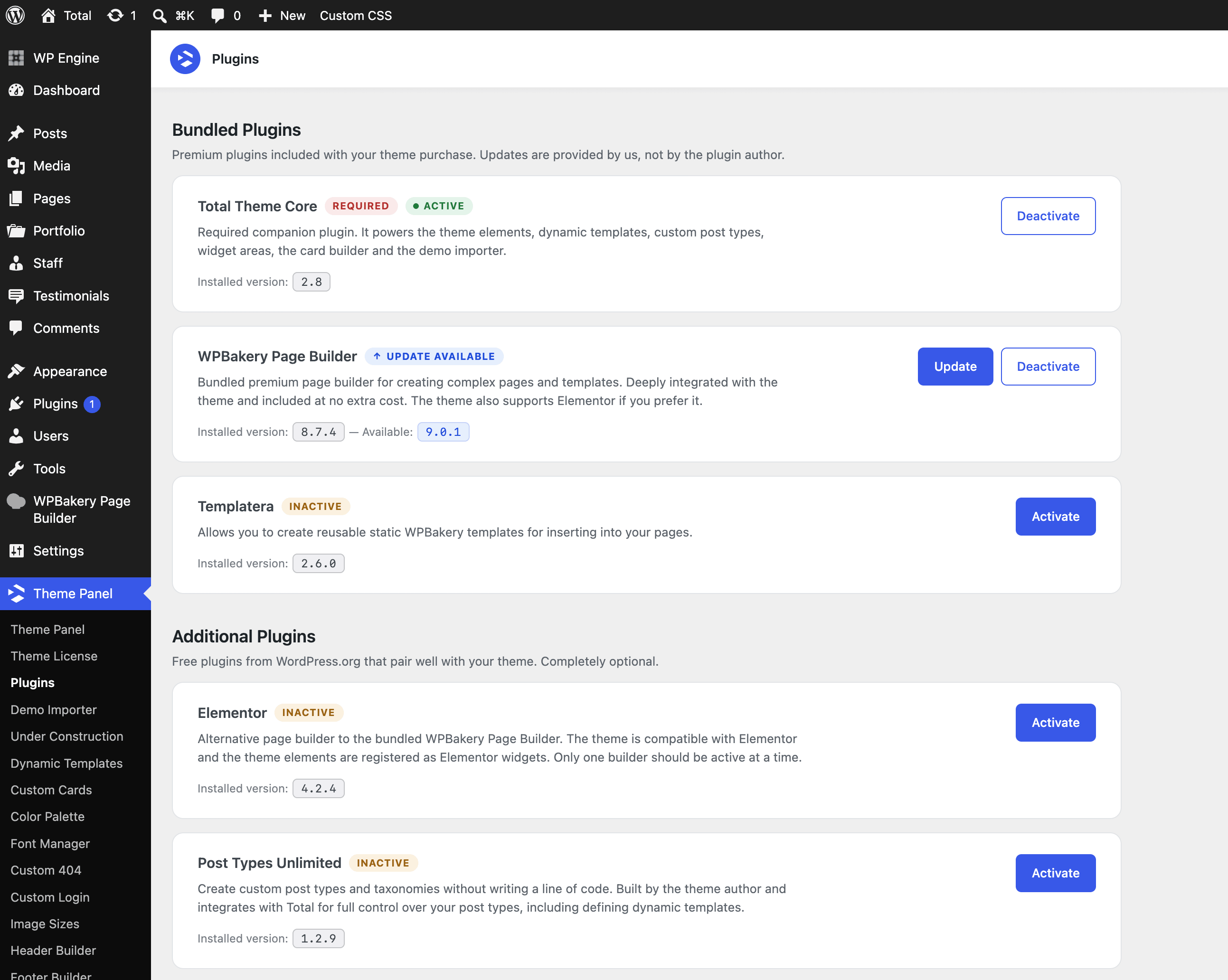
Developers can remove plugins they don’t want listed in the new Plugins admin page using the totaltheme/plugins/registry/list filter.
Licensing & Updates
A lot of support tickets come down to a site not being able to reach the license or update server, usually because of a firewall, a locked-down host, or a temporary outage. Version 6.8 makes that situation much easier to diagnose.
- A warning now appears in your WP Dashboard if the site can’t connect to the updates server, so you know it’s a connection issue and not a licensing one.
- The license API connection uses smarter retries, and displays a clear notice when the license server is unreachable.
- Your license key now stays saved if the license becomes unregistered. Previously you’d have to dig up your purchase code again, now you can just re-activate.
- Theme and plugin updates now appear in the WP admin even when the license isn’t active. Sites without a registered license will still be notified they’re running outdated code, which matters for security.
- The Theme Updates API no longer requires a backup WordPress.org theme to be installed.
- Moving a staging site to production is smoother. If the license isn’t currently registered to a live domain, it will register automatically.
- Theme elements stay registered while Total Theme Core is active, even if the theme itself is disabled. This prevents shortcode soup on the frontend if you temporarily switch themes.
Slider Revolution No Longer Bundled
Starting with 6.8, Slider Revolution is no longer bundled with new installations. If you’re already using it, nothing breaks. You’ll continue to receive updates through the theme panel (for Revslider 6), and the plugin is still included in the full ZIP download from ThemeForest.
There’s a longer explanation of the reasoning in why Slider Revolution is no longer bundled, and a related read on why sliders aren’t always a good idea.
Narrow Page Layout
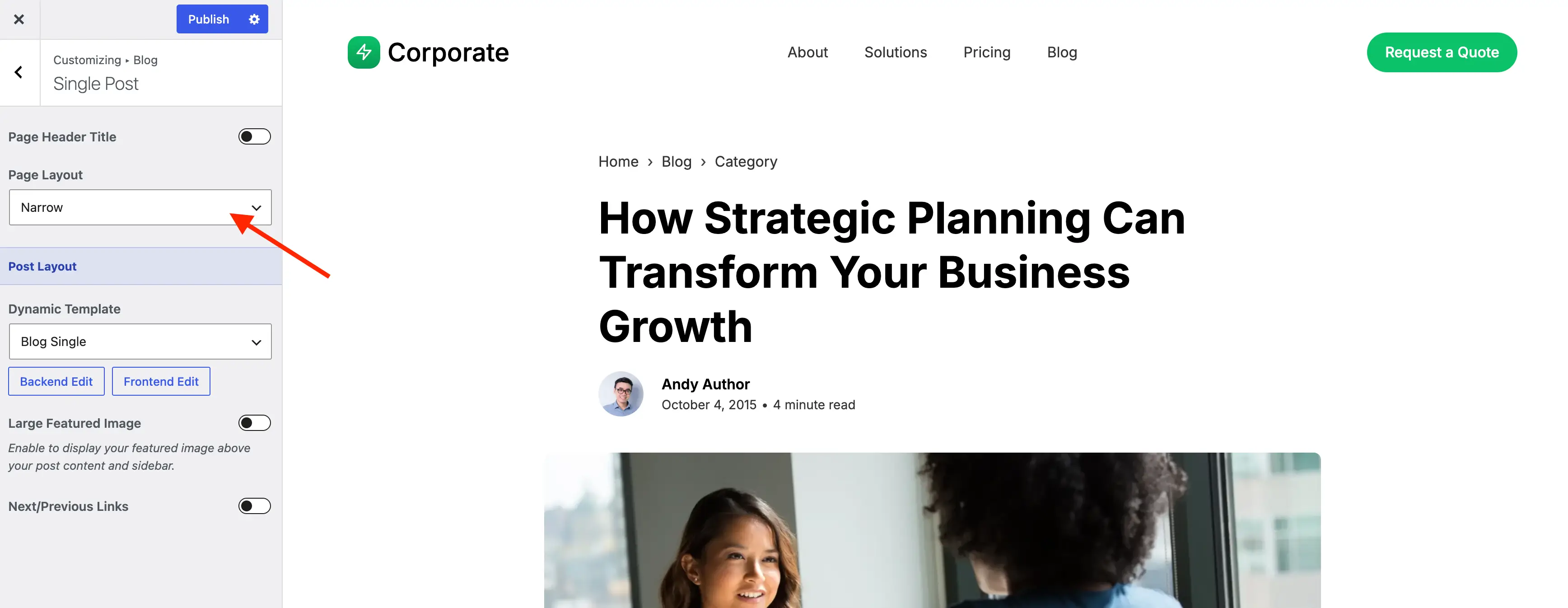
There’s a new Narrow layout option for pages. Most sites use a fairly wide content area, which is great for landing pages and grids but not ideal for long stretches of text. Legal pages, documentation and single blog posts read much better at a tighter measure.
Instead of building a custom template or adding one-off CSS, you can now just switch the layout on a per-page basis.
Compact List Card Styles
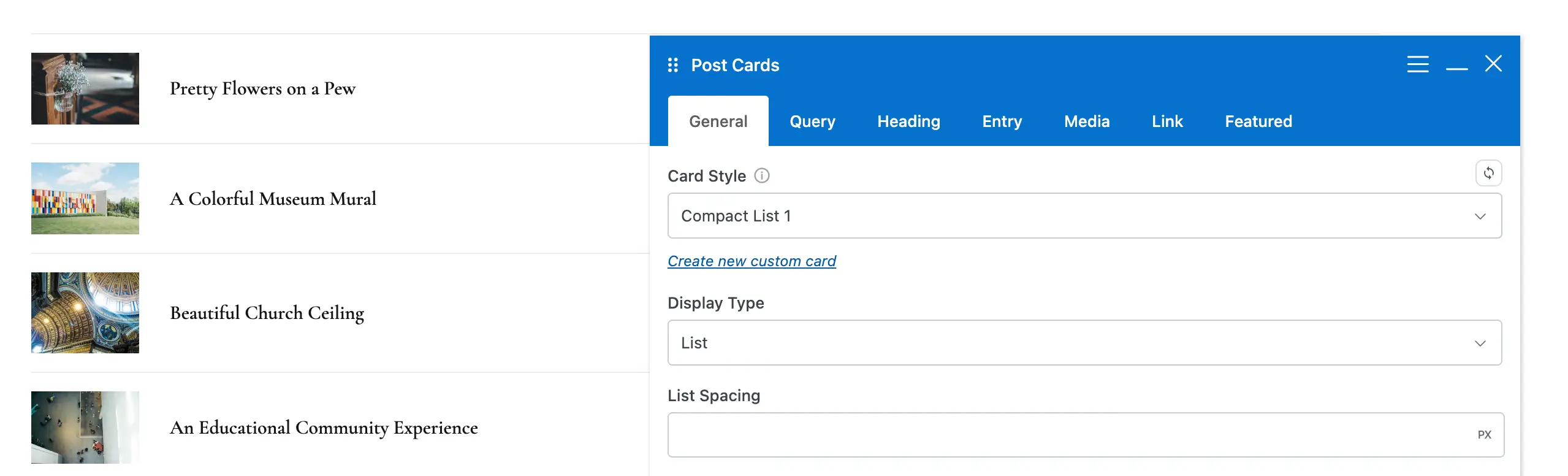
New Compact List styles have been added to the card library. These place the image on the left with the post details on the right, similar to the layout used by the Posts with Thumbnails widget.
They’re a good fit for sidebars, related post sections, and any place where you want a scannable list of posts rather than a full grid.
WPBakery 9.0 UI & Updated Element Fields
This is the largest single piece of work in 6.8, and it touches every theme element in WPBakery. WPBakery 9.0 introduced a whole new UI design which we extended so that it looks and functions better (compare a site not using Total to one using Total to see the difference).
If you find the new WPBakery 9.0 UI a bit small we’ve added a snippet to the docs so you can add a few lines of code to your site and set the font size to whatever you want!
Input Units: Fields that accept a measurement, like Font Size or spacing values, are now numeric inputs paired with a unit selector. But we didn’t want to force you to pick a unit before typing, so the field is smarter than that. If you start typing a letter instead of a number, it automatically switches to the custom unit input. You can type clamp(1rem, 2vw, 2rem) straight into the field and it just works, no clicking around first.
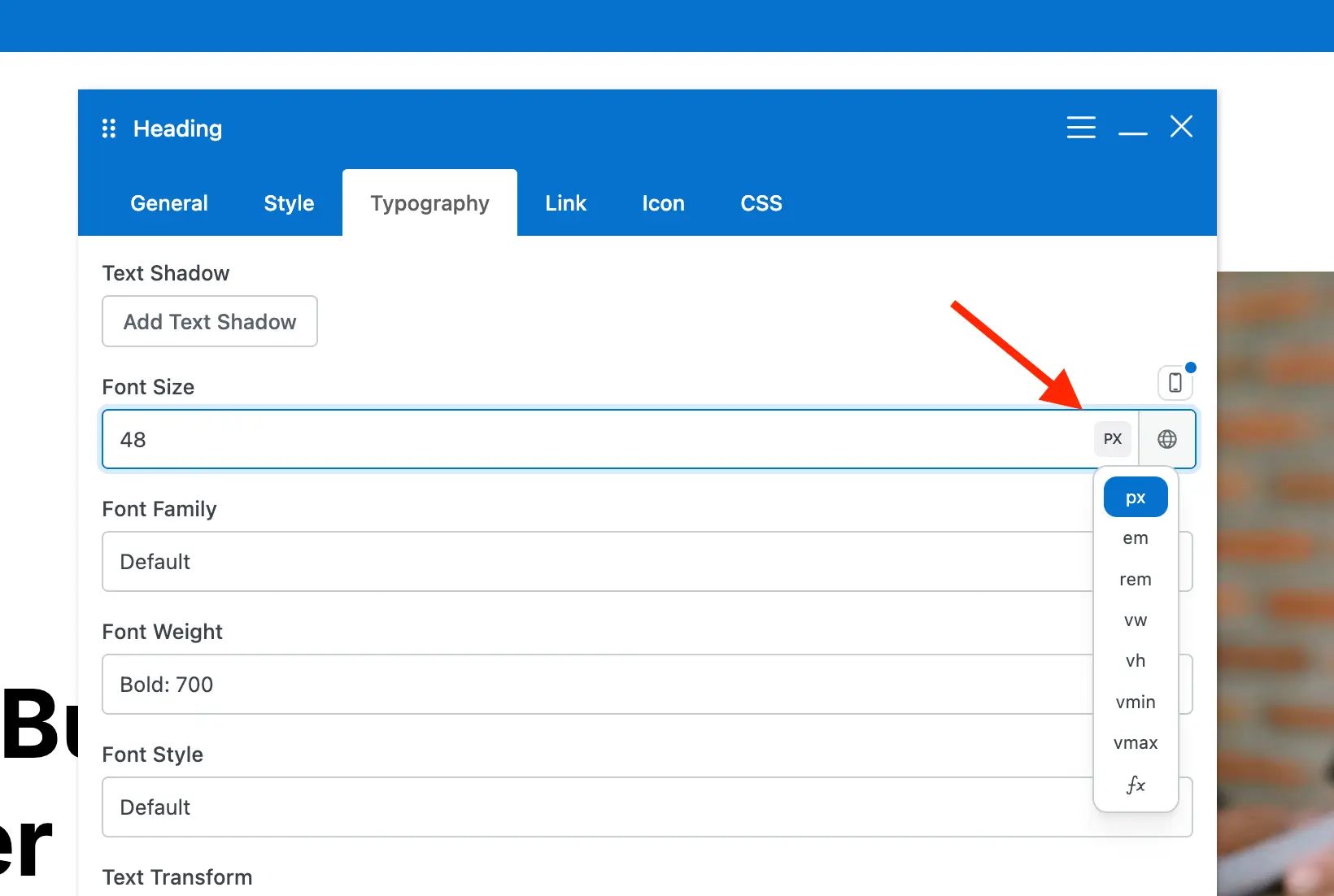
The main benefit of the new unit selector is the theme will no longer store unit-less values. For example, if you type in 20 it will save as 20px.
Responsive Font Size: Switching between desktop, tablet and mobile values is clearer, and we fixed a long-standing bug where using the responsive toggle could prevent smaller device values from saving when no desktop value was set.
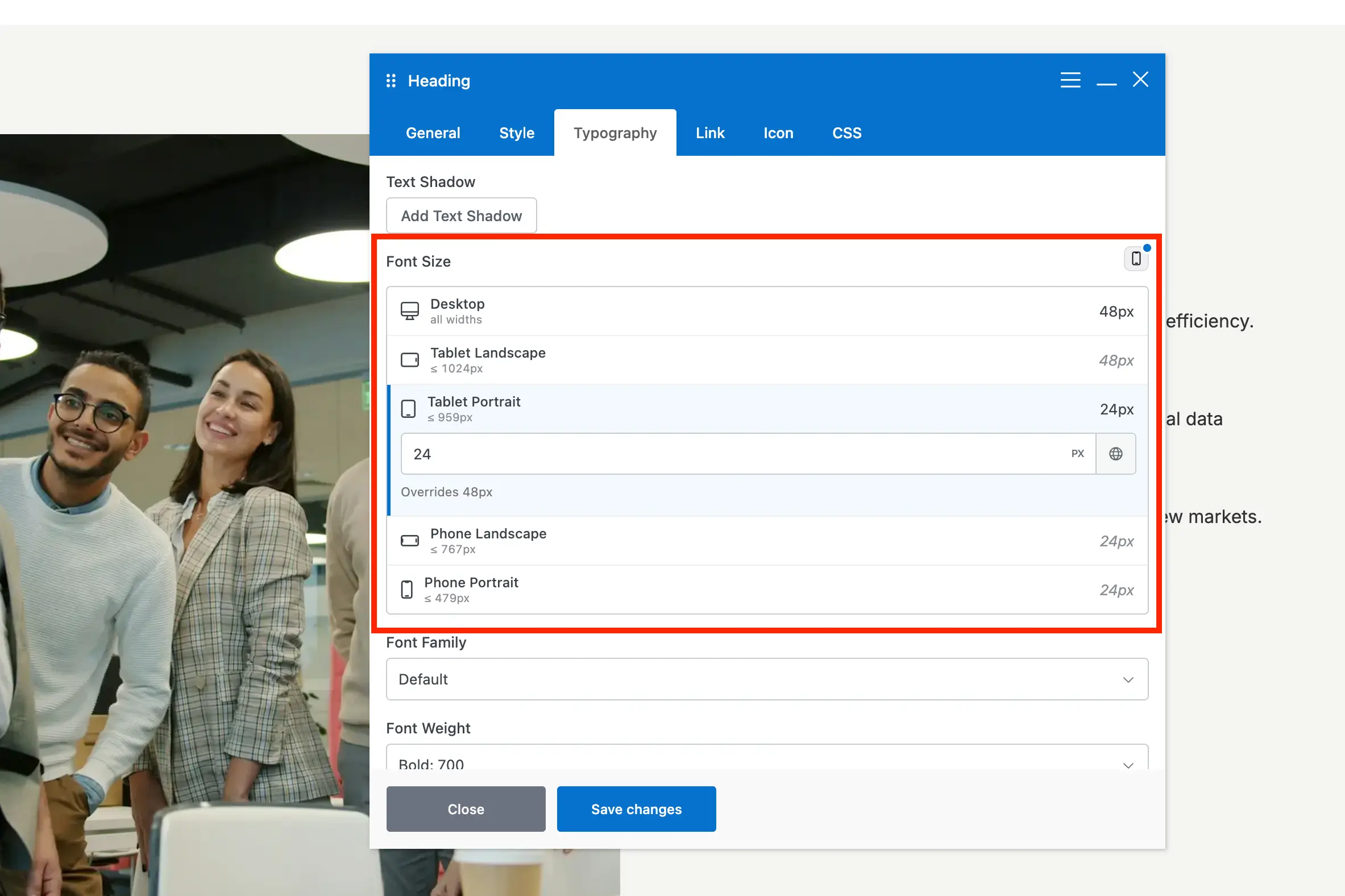
Custom Selects: Every select field in theme elements now uses a custom dropdown component instead of the native browser select. This gives us searchable dropdowns, better styling in dark mode, and consistency across the whole admin. It also prepares the theme for the upcoming WPBakery 9.0 release, which changes the design of the element edit window significantly.
A few other changes to the editing experience:
- The Visibility, CSS Animation, Bottom Margin, Unique ID and Extra Classname fields have moved to the bottom of the General tab across all elements, so they’re always in the same place.
- Theme elements now have custom search terms. Searching for “categories” in the Add Element window will surface the Post Meta element, even though the word doesn’t appear in its name.
- The Icon Selector includes keywords, so you can find icons without knowing their exact name.
- Some elements now show a dismissible notice in their edit window pointing you to a better theme alternative.
Faster Editing
Opening an element settings panel used to be slower than it needed to be, mostly because of the icon libraries loading up front whether you needed them or not.
The icon pickers for the WPBakery libraries like Font Awesome, Material and Entypo are now lazy loaded, so those libraries only load when you actually open the picker. This optimization is only possible for theme elements, but since most of what you edit in Total is a theme element, the difference is noticeable.
Total also stops WPBakery from loading its custom Google fonts inside the editor. This speeds up the edit window and avoids problems on sites where external Google font requests are blocked.
The theme’s backend views were rewritten as well. These are the previews you see for each element in the WPBakery editor, and some of them need data from the server to render, like an icon, an image thumbnail or a menu name. Previously each view fired its own ajax request, so a page with 30 elements meant 30 separate requests on load. Now they all go through a shared batcher that collects the pending requests and sends them together in a single call.
Elementor Improvements
Elementor users get a version of the preset system that WPBakery has had for a while. You can now insert preset options into various theme element fields, including border radius, line height and letter spacing, using the same dropdown approach.
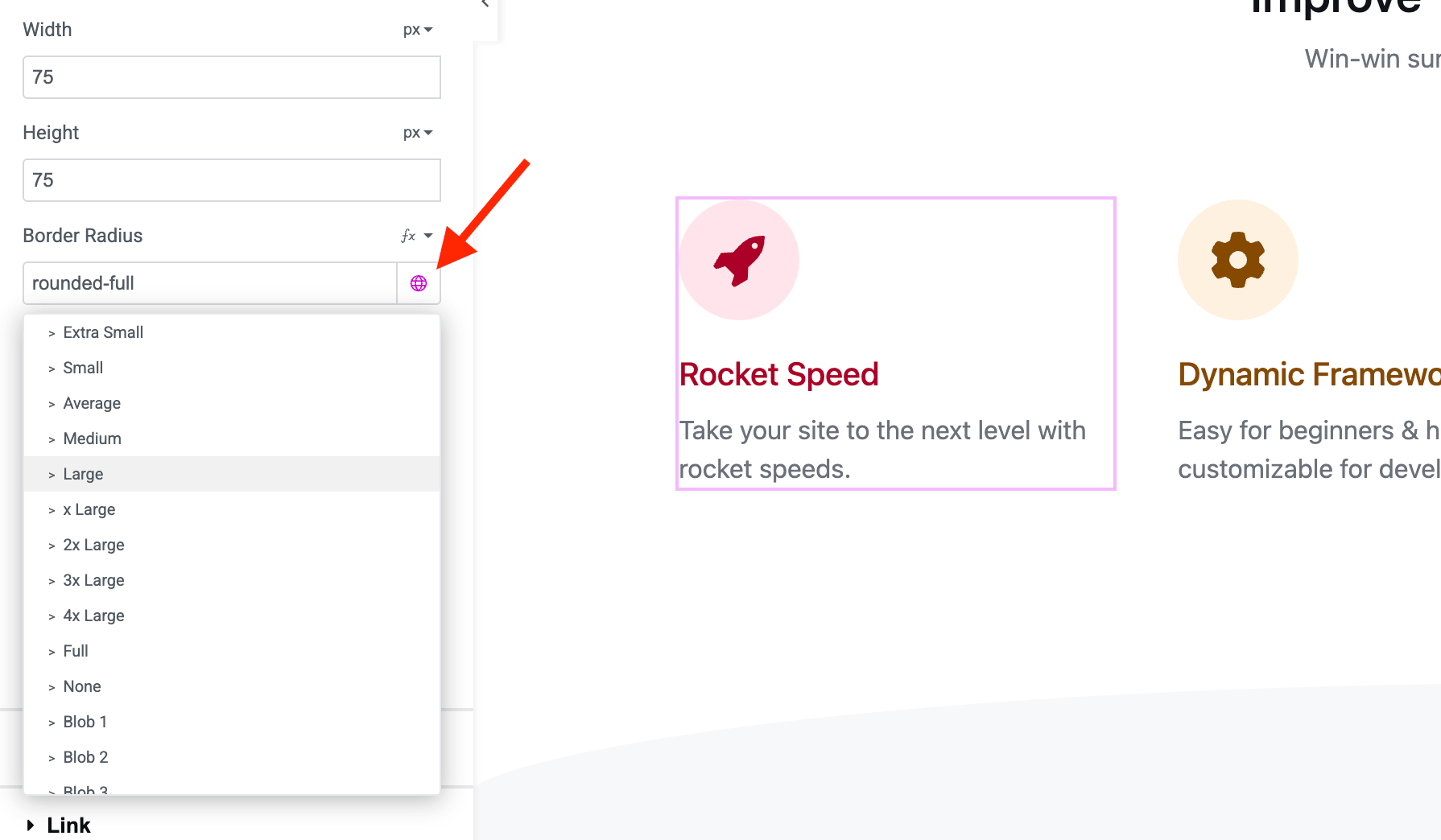
Several Elementor fields that previously only accepted preset choices now allow custom values as well. The Milestone widget, which was missing from Elementor, is now available. And two annoying bugs are fixed: Elementor global colors not applying to Total widgets until you made a second change, and custom units not applying correctly in the top, right, bottom and left fields.
Staff Social & Contact Fields
The Staff post type used to ship with a fixed set of 10 social fields in the metabox. Every staff member got all of them, whether the site used them or not, and if you needed something outside that list you were out of luck.
Version 6.8 adds a new tab to the Staff settings where you choose exactly which fields appear when adding or editing a staff member, and in what order. You can pick from any social profile the theme supports, including Github, Bluesky, Threads and Twitch, along with contact fields like phone and email.
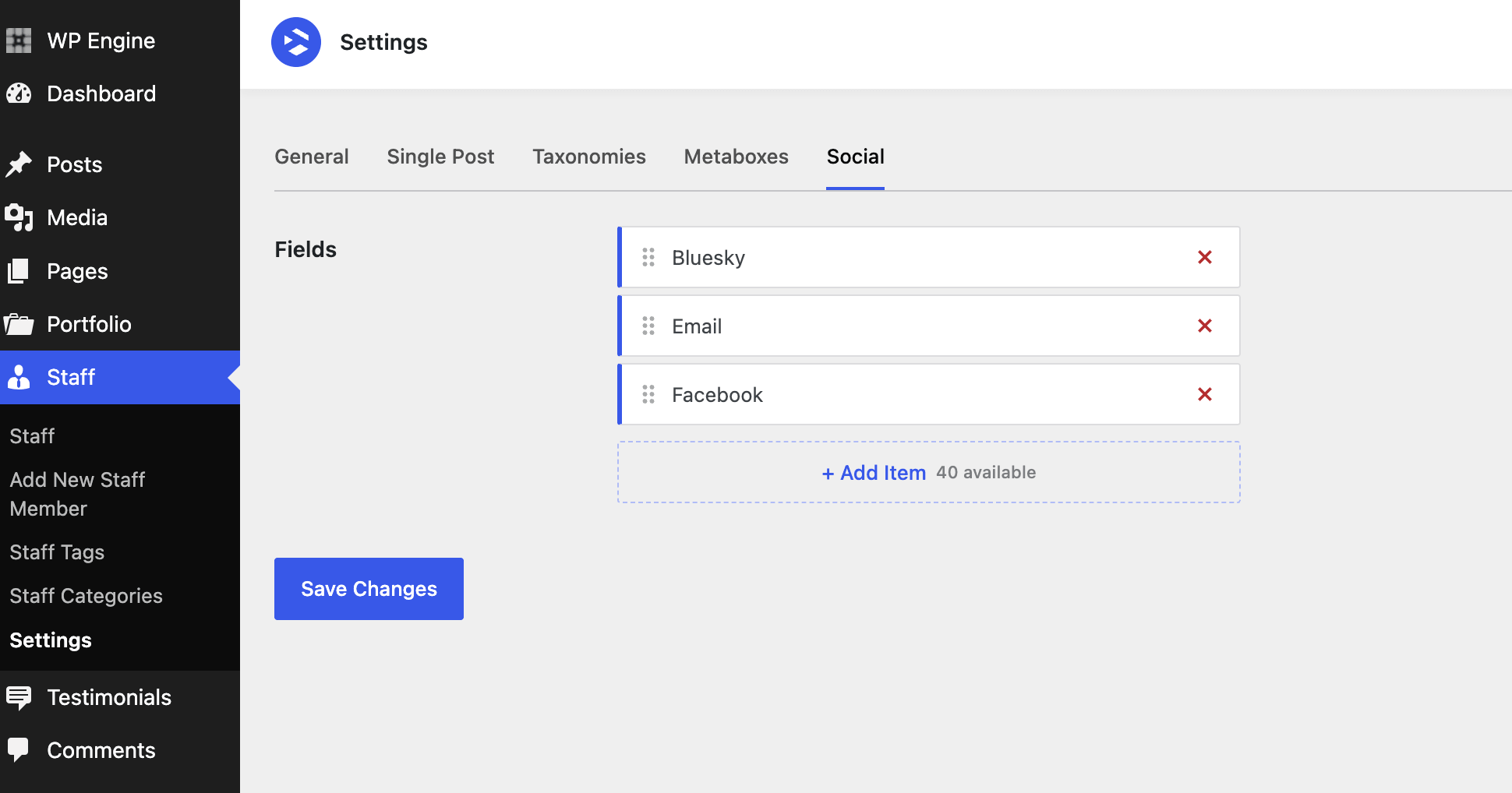
So if your team only uses LinkedIn and email, that’s all you’ll see in the metabox. No more scrolling past eight empty fields to get to the two you actually fill in.
Appearance > Fonts Support
WordPress has its own font library under Appearance > Fonts. Total has always had the Font Manager for this, and it’s still there, but some people would rather use the core panel.
As of 6.8, fonts you register through Appearance > Fonts will appear for selection in the Customizer and in theme elements, so you can use whichever panel you prefer without losing access to the theme’s typography controls.
Frontend Performance
A handful of changes in this release are aimed squarely at what gets sent to the browser and how many queries run to build a page.
Image gallery cache priming. The gallery-based elements now prime the WordPress object cache for all of their attachments up front, in one go, rather than letting each image trigger its own lookup for post data and metadata as it renders. On a gallery with a few dozen images, that removes a large number of redundant queries from the page load.
Custom SVG icons. Icon loading has been optimized so that reusing the same custom SVG multiple times on a page no longer repeats the work of loading it each time.
Load More and Infinite Scroll. For standard archives, these methods used to preload every script that newly loaded entries might need, whether or not those entries actually used them. Now the required scripts are loaded dynamically as entries come in. The JavaScript for both has also been rewritten to remove the jQuery dependency.
Also in 6.8
There’s far more in this release than fits in one article. A few other highlights worth knowing about:
- Table of Contents in Gutenberg: The element is now available as a block, so you can add it on a per-post basis instead of only through a dynamic template.
- Dynamic template editing: Part types get a Frontend Editor Width field and an optional blank canvas, which makes building things like custom sidebars much easier to visualize. Modal templates now apply their custom width in the frontend editor preview.
- Post Meta element: A large batch of additions including a Primary Taxonomy Term section type, three new read time formats, full typography options, an option to disable the default links on author and term items, Post Views support, and per-item extra class names.
- Milestone element: Vertical or horizontal layout, a global color option so you don’t have to set the icon, number and caption separately, hover colors, and the missing typography settings. It also accepts 0 as a number now.
- Contact Form honeypot: Anti-spam protection is now built into the Contact Form element.
- Navigation Bar element: New options to toggle active page styling, re-enable the All link when a term is active, and control whether the active term jumps to the first position. Empty terms are now excluded by default, with a setting to bring them back. A filtering bug involving matched active terms has also been fixed.
- Relevanssi support: Post Cards search queries now work with Relevanssi, including on custom search templates with numbered pagination.
- Staff social fields: Any theme social profile can now be used, including Github, Bluesky, Threads and Twitch, and you can choose which fields display and in what order.
- Image element cleanup: The Image Grid, Image Carousel and Image Slider elements have a new Source option that tidies up the Gallery tab, plus Order and Orderby options for the sliders.
- Custom SVG icon fixes: Gradients, transforms, masks and text are no longer stripped when rendering, and stray text from icons exported out of Illustrator, Figma or Inkscape has been cleaned up.
- WordPress 7.0 compatibility: Various admin page and WPBakery field design bugs have been fixed, including margin issues in the gradient selector.
- WPML: Compatibility and translation support has been improved for a number of theme elements and fields.
View the Full Changelog
Don’t forget to read through the full version 6.8 changelog to view all additions, updates and fixes!