If you have created a custom page for your blog, portfolio, staff or testimonials and you want to add it to your breadcrumbs you can do this via theme settings. Below you will find instructions on setting the “Main Page” for your Blog or other post types.
Blog: Standard Posts
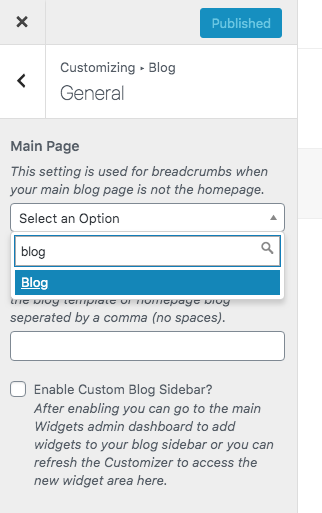
Because the blog consists of standard posts and doesn’t use the typical editor admin page, the option to set your primary page is found under Appearance > Customize > Blog > General.
Choosing your “Main Page” here will automatically add the main blog page to your single posts, as well as category and tag archives.
Theme Post Types: Portfolio, Staff, Testimonials
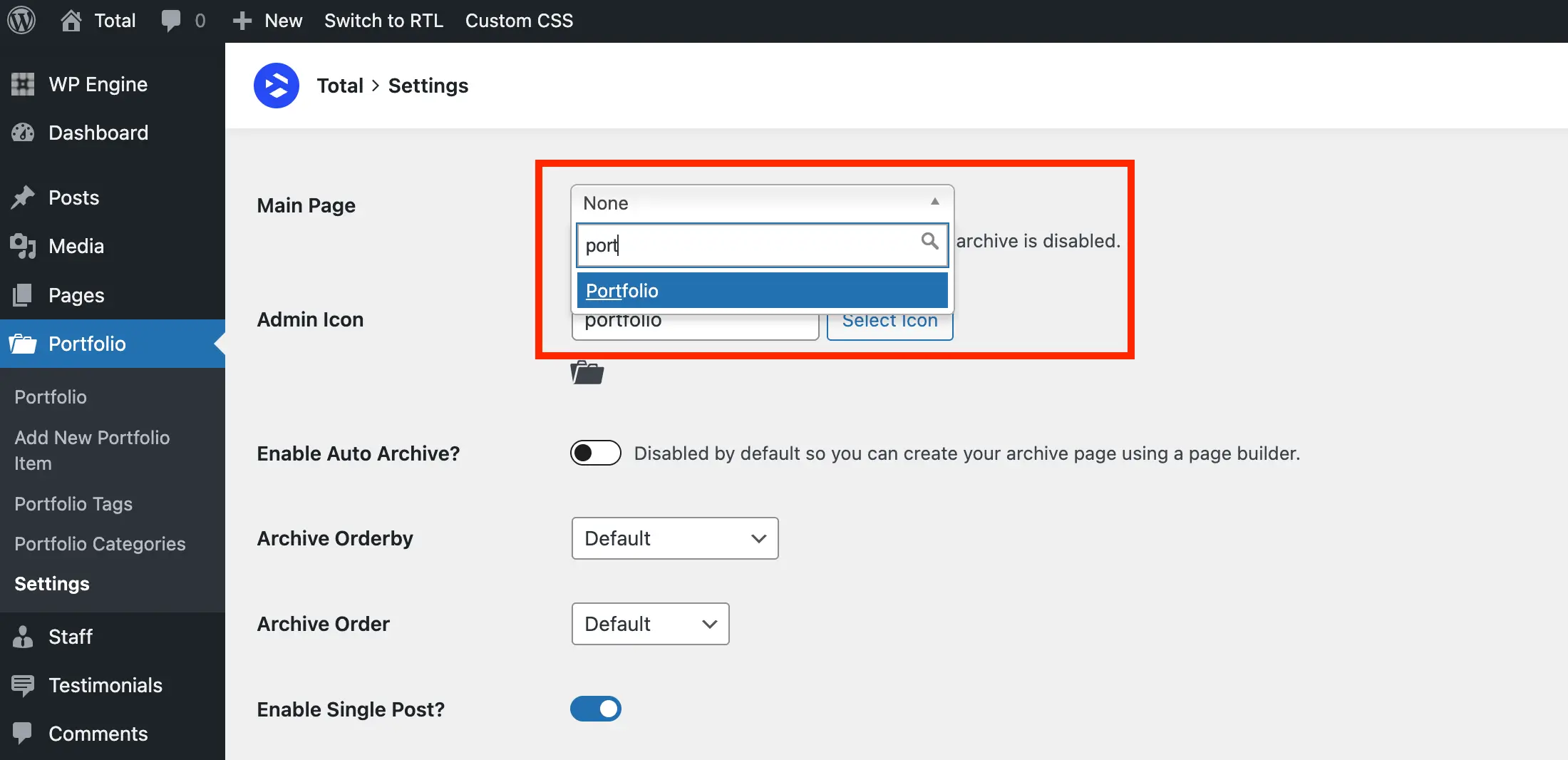
To select your “Main Page” for your custom post types you’ll want to simply go to the “Settings” page for that given post type. See the example below:
Custom Post Types: Post Types Unlimited
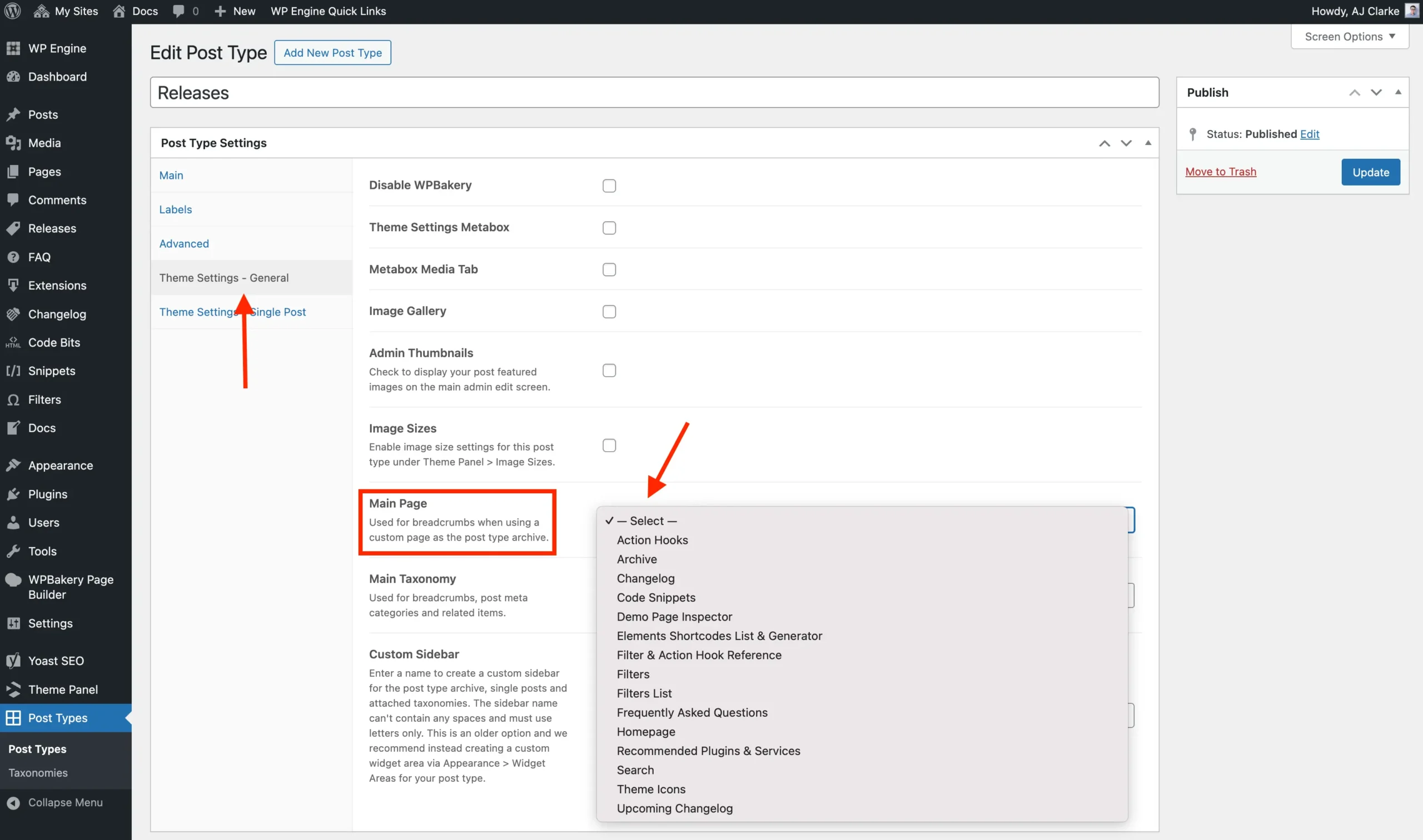
For custom post types added using our free Post Types Unlimited plugin, you can find the setting under the General tab, as shown in the screenshot below.