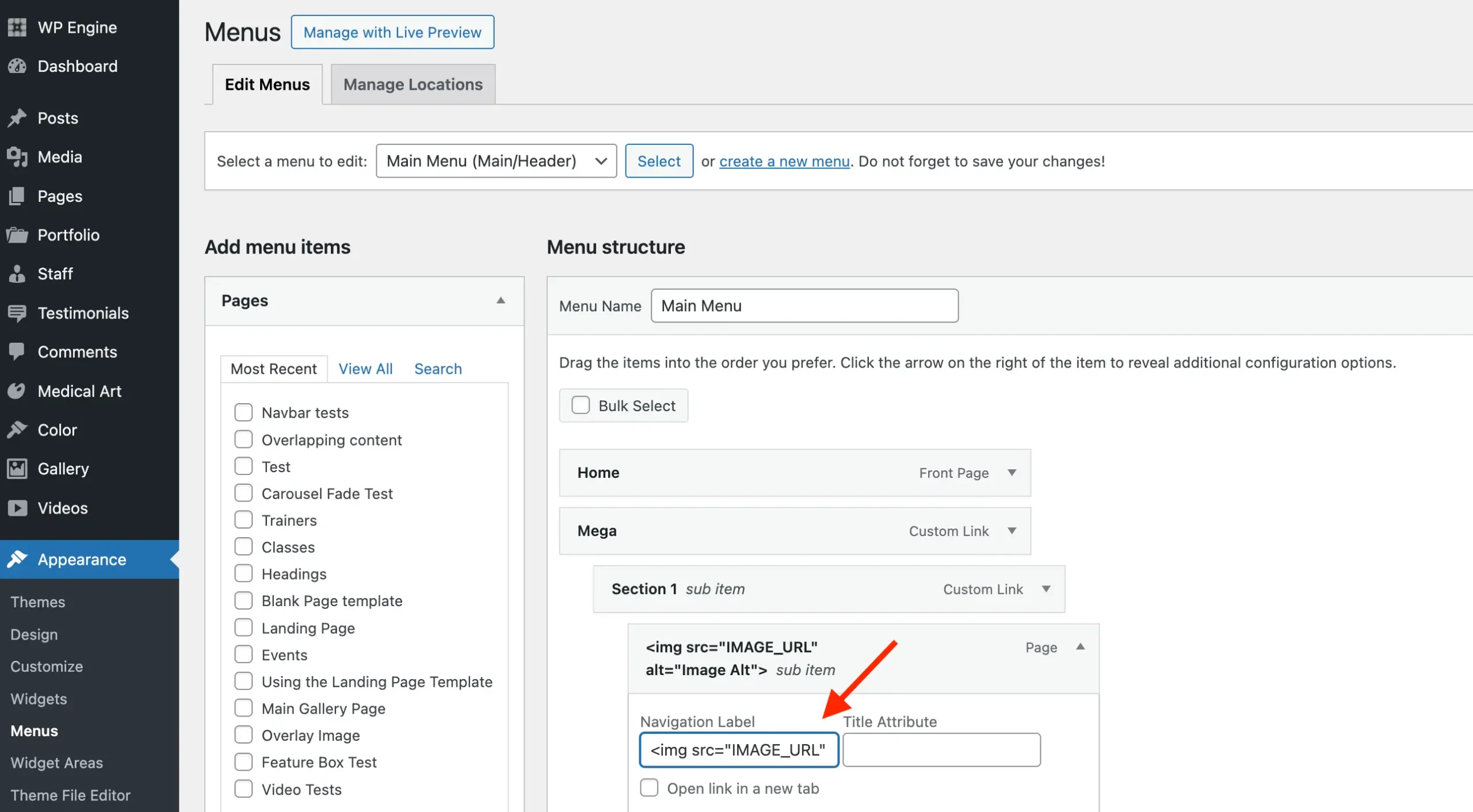
You can easily use images as menu labels in WordPress by inserting HTML into the Navigation Label field for a menu item. Use the <img> tag to insert your custom image like such:
<img src="IMAGE_URL" alt="Image Alt">Be sure to replace:
- IMAGE_URL: With the full URL of your image.
- Image Alt: With a descriptive alternative text for accessibility.
Sample Screenshot:
Tips when Using Images as Menu Items
Here are some best practices to keep in mind when using images as menu items in the Total theme:
- Use a mega menu layout: When working with multiple image-based items, enable the mega menu and place your images inside columns for better structure and visual appeal.
- Create a mobile-friendly version: Set up an alternative menu for mobile devices that uses text labels instead of images to improve readability and accessibility on smaller screens.
- Optimize image size and format: Use lightweight, properly sized images in optimized formats like WebP to ensure fast load times.
- Include descriptive alt text: Always add meaningful
alttext to your images for better accessibility, SEO, and fallback behavior if the image fails to load.