The header_cart_icon shortcode can be used to display the WooCommerce cart icon in your header aside field when using a supported header style.
Technically the shortcode can be used anywhere, but it’s intended primarily for adding a cart icon to your header that is separate from the main menu.
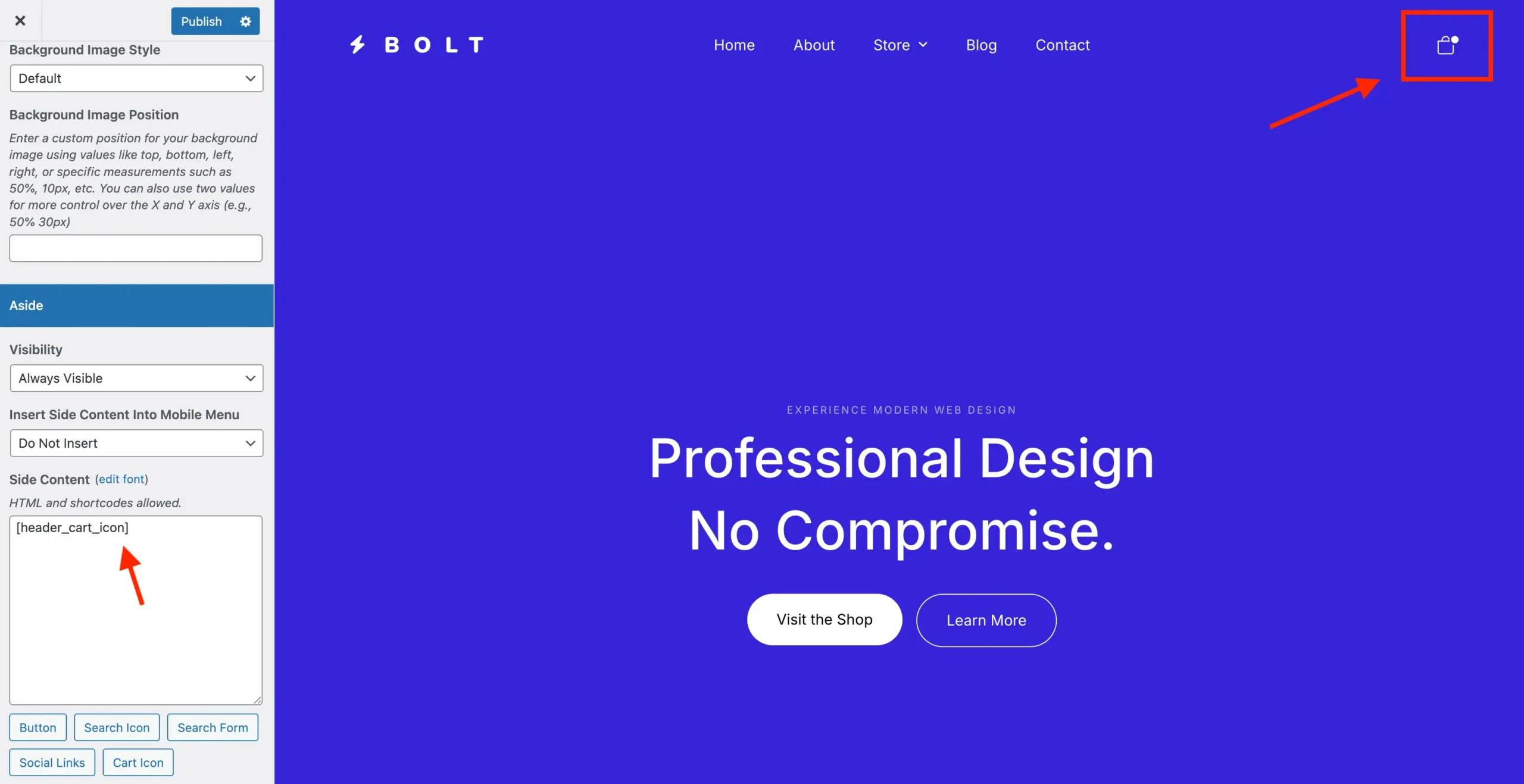
By default, the theme automatically adds the WooCommerce cart icon to the far right of the header menu. If you’re also using the header_cart_icon shortcode, this can result in two cart icons appearing. To fix this, go to Customize > WooCommerce (Total) > Header Cart and disable the Menu Cart option.
Sample Shortcode Usage
[header_cart_icon]
Shortcode Attributes:
Below are the attributes accepted by the header_search_icon shortcode:
| Attribute | Description | Default |
|---|---|---|
class | custom classes to add to tde element | – |
label_class | custom classes to add to tde label | – |
button_class | custom classes to add to tde button | – |
icon_class | custom classes to add to tde icon | – |
visibility | custom visibility | – |
label | custom label | – |
label_margin | label margin | 10px |
label_position | label position (right or left) | right |
label_hide_breakpoint | breakpoint to hide tde label on smaller screens (sm,md,lg,xl) | – |
aria_label | custom aria label attribute for accessibility | Search |
font_size | custom font size for the icon (supports global font sizes) | – |
Choosing a Cart Style (Off Canvas, Dropdown, Overlay…etc)
By default the Total theme displays an Off Canvas (drawer) style cart that opens from the right side as shown in the bolt demo. You can choose a different cart style via the Customizer at WooCommerce (Total) > Header Cart > Menu Cart: Style.
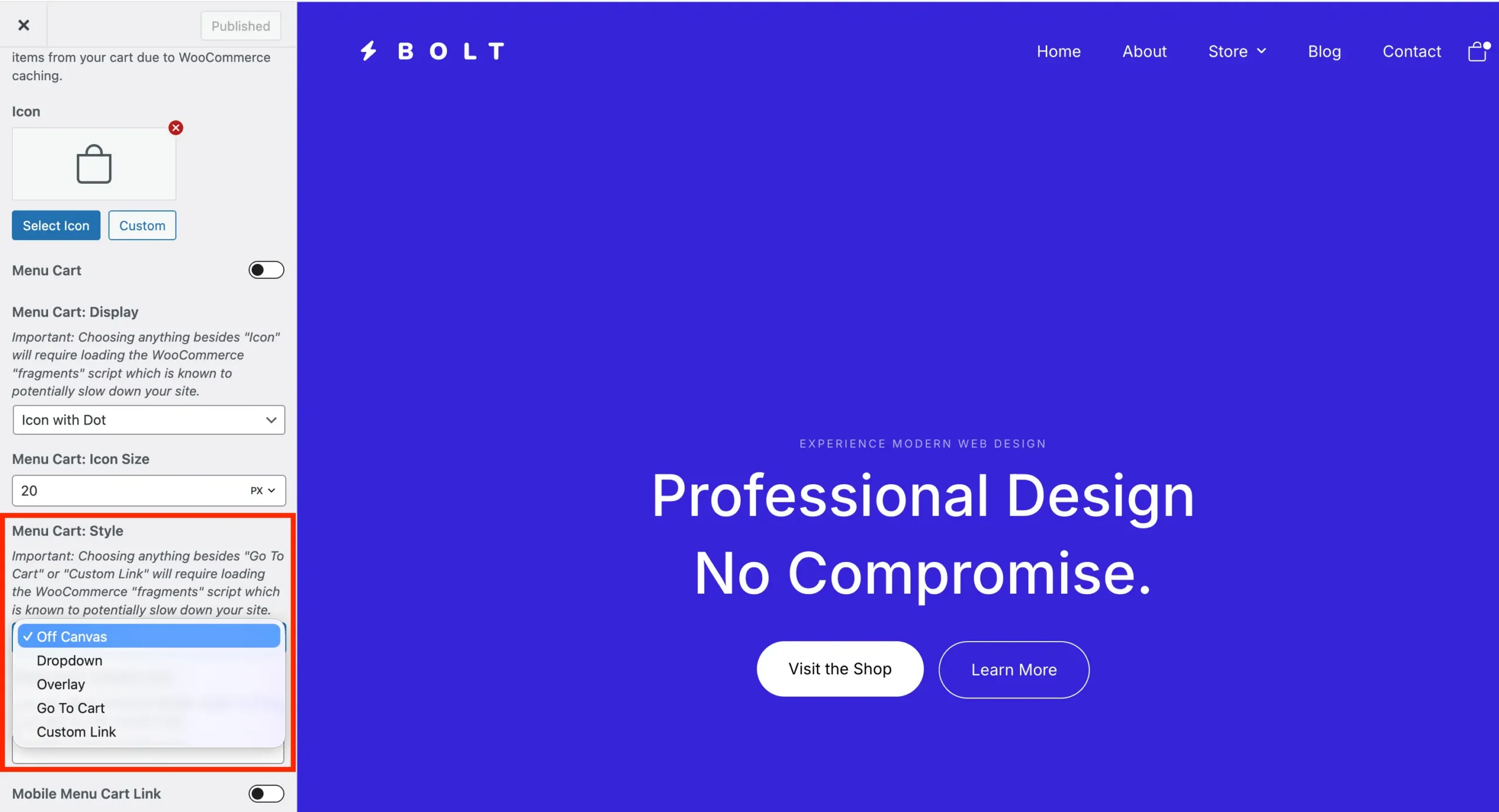
If site speed is your top priority, we recommend setting the cart icon to use the “Go to Cart” action and configuring “Menu Cart: Display” to “Icon.” This prevents the theme from loading extra WooCommerce scripts that make server requests on page load to fetch the current cart. The trade-off is that users won’t be able to see their cart contents at a glance, but this approach can noticeably improve your site’s performance.