If you want to display posts grouped by category, tag or other taxonomy, one option is to add multiple Post Card elements and use the Include Term field to specify which term each element should display. However, the Term Cards element allows you to automate this process.
By combining the Term Cards element with a custom card, you can automatically loop through all your taxonomy terms and display the posts associated with each one. In this article, we’ll walk through how to set this up.
Step 1: Create a Custom Term Card
To display tax based grouped posts, you’ll first need to create a custom Term Card that will be used for each group. Go to Theme Panel → Custom Cards and click Add New. In the editor, select Term as the card type and set the Link Type option to None.
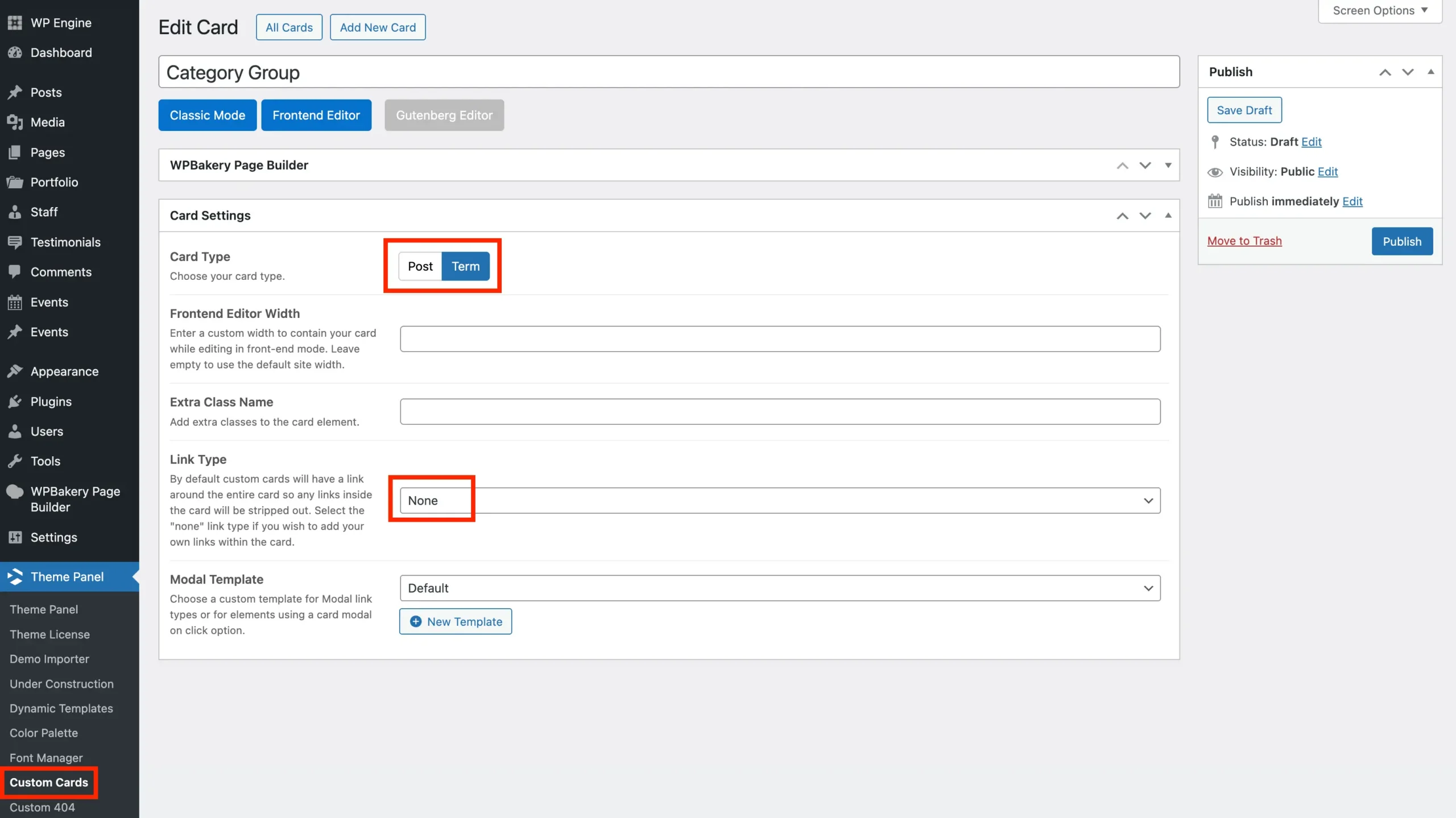
By default, post cards link to the individual post, while term cards link to the term archive. Setting the Link Type to None is important, otherwise, each term group would link to its archive page, preventing users from clicking individual posts to open their single post pages.
Step 2: Design your Term Card using WPBakery or Elementor
Now that you’ve created your custom Term Card, you can design it however you want your grouped posts to appear. Use WPBakery or Elementor to add the elements that will display each term group.
For example, you might add a Heading element with the source set to Term Name so the current group’s term name is displayed. Most importantly, add a Post Cards element and set its Query to Term Card. This ensures the element displays the posts that belong to the current term within the Term Cards loop.
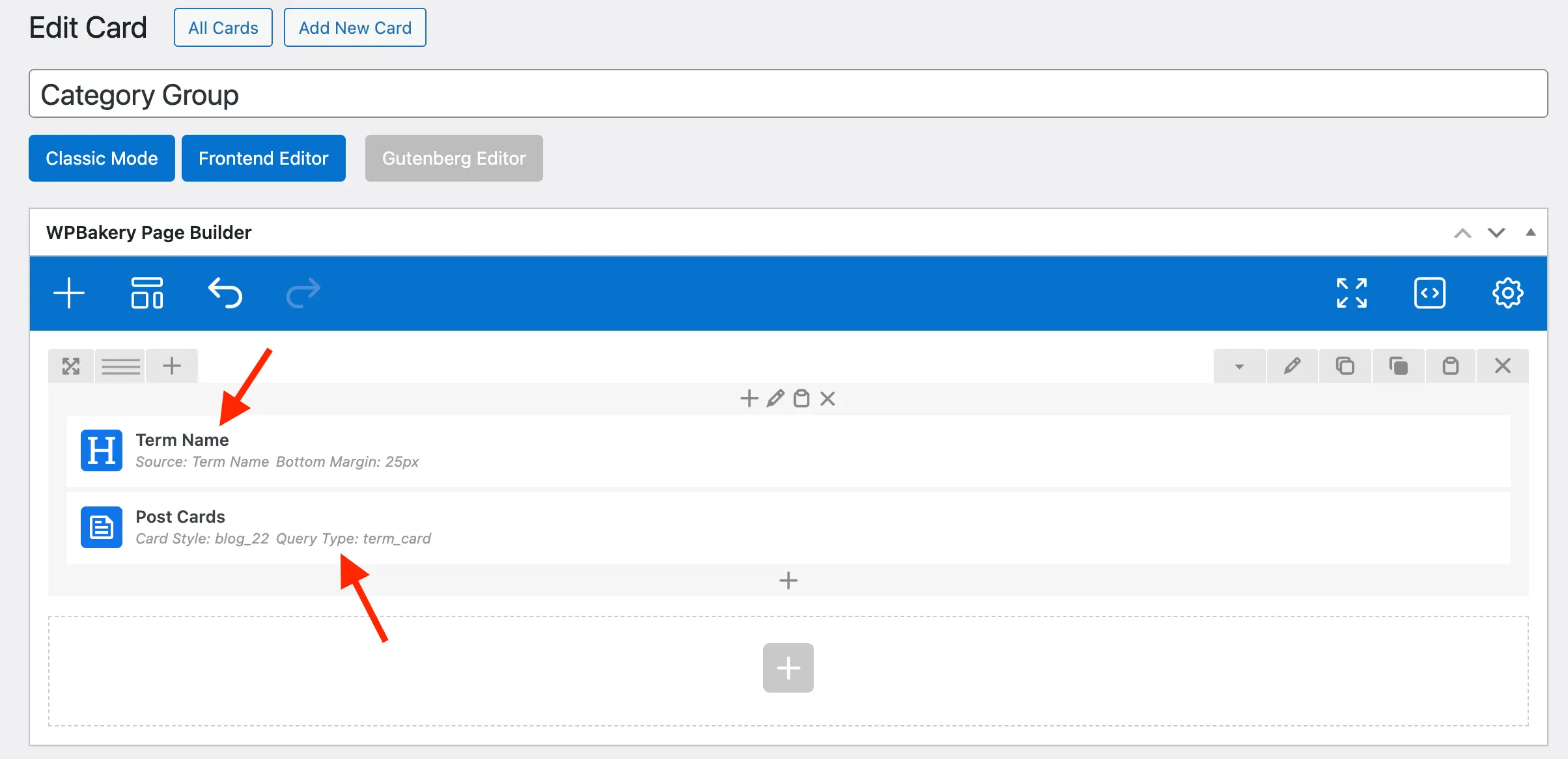
Important: When adding the Post Cards element, be sure to set the Query Type to Term Card. Then, in the field below, select the post types you want to display.
Sample term card with WPBakery
Below is a basic Term Card example built with WPBakery that displays the term name followed by a grid of posts. You can copy and paste this into your editor while in “Code” mode”, then modify it as needed to fit your design and layout.
[vc_row][vc_column][vcex_heading source="term_name" bottom_margin="25px"][wpex_post_cards grid_style="css_grid" card_style="blog_22" query_type="term_card" grid_columns_responsive_settings="pl:2|pp:1"][/vc_column][/vc_row]Step 3: Display Grouped Posts using the Term Cards Element
Now that you’ve created your custom Term Card for displaying posts, the final step is to add the Term Cards element to the page where you want your grouped posts to appear.
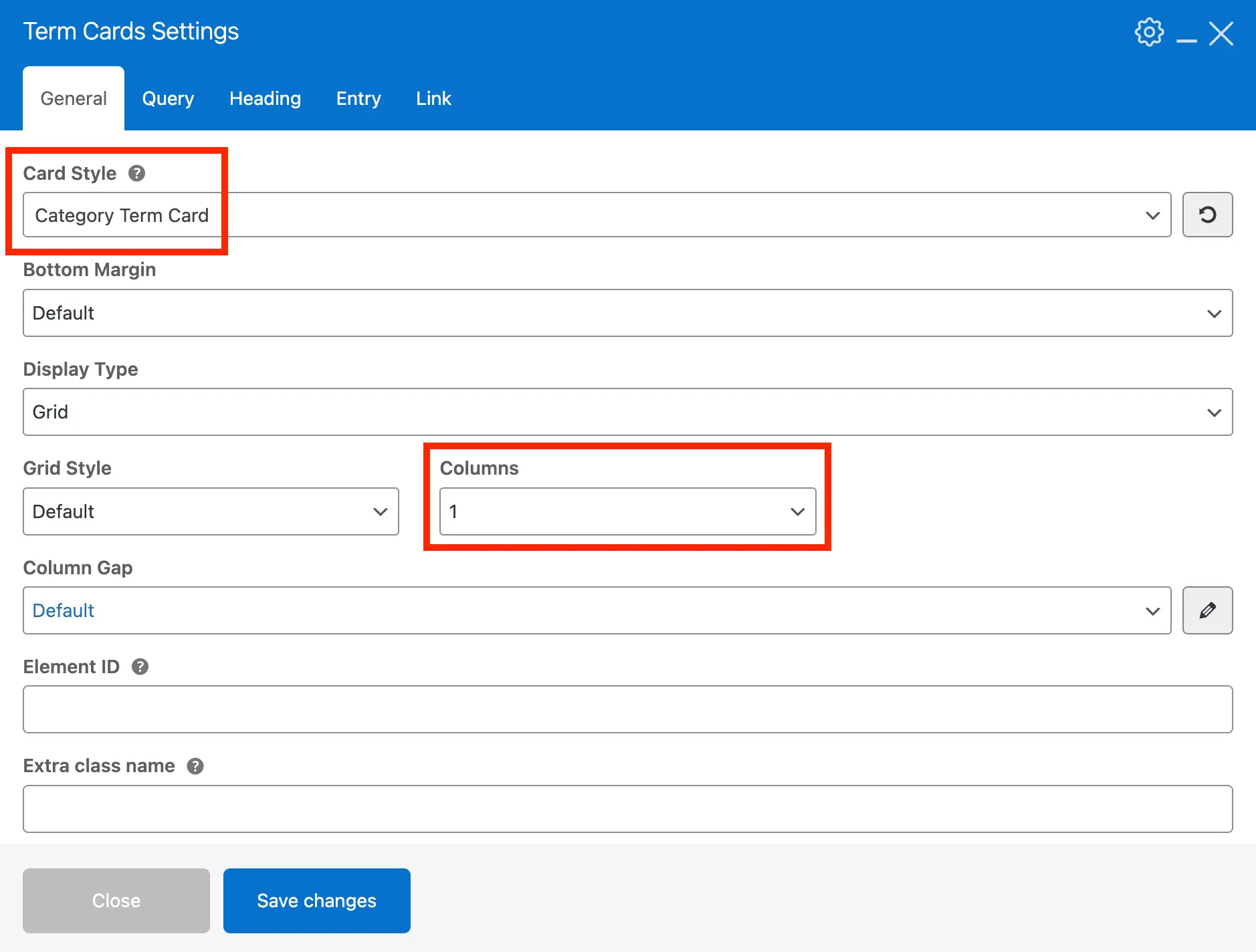
When adding the element, first select the custom card you just created. Next, set the Grid Columns option to 1 (unless you prefer each group to appear in separate columns). Then, under the Query tab, choose the taxonomy you want to use such as Category, Tag, Portfolio Category, Staff Category, and so on.
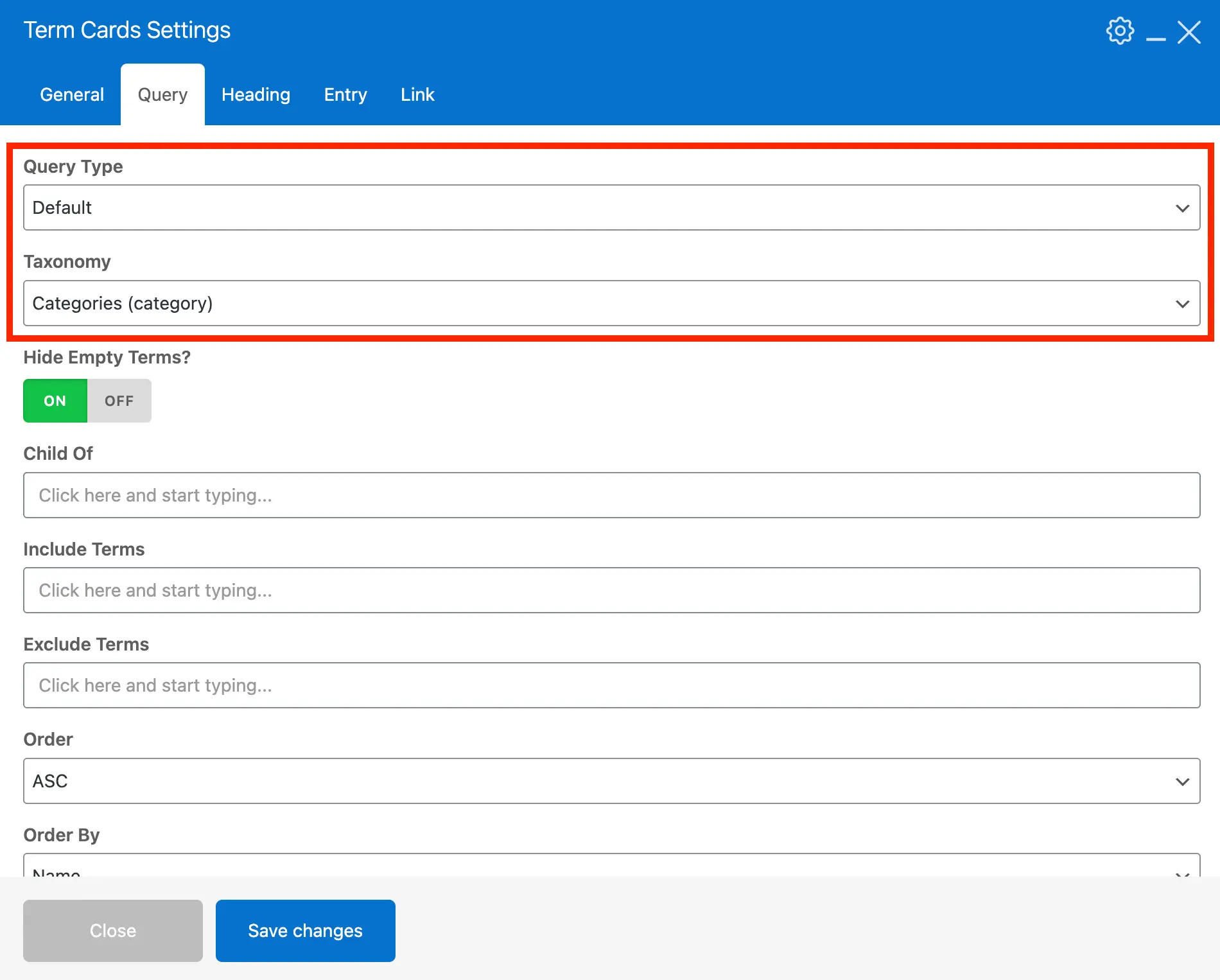
The Term Cards element supports all built-in WordPress taxonomies as well as any custom taxonomies you’ve added to your site.
Dynamic Queries
The Term Cards element also supports dynamic queries. Instead of selecting a specific taxonomy to retrieve all terms from, you can choose to display terms that are related to the current post or current archive.
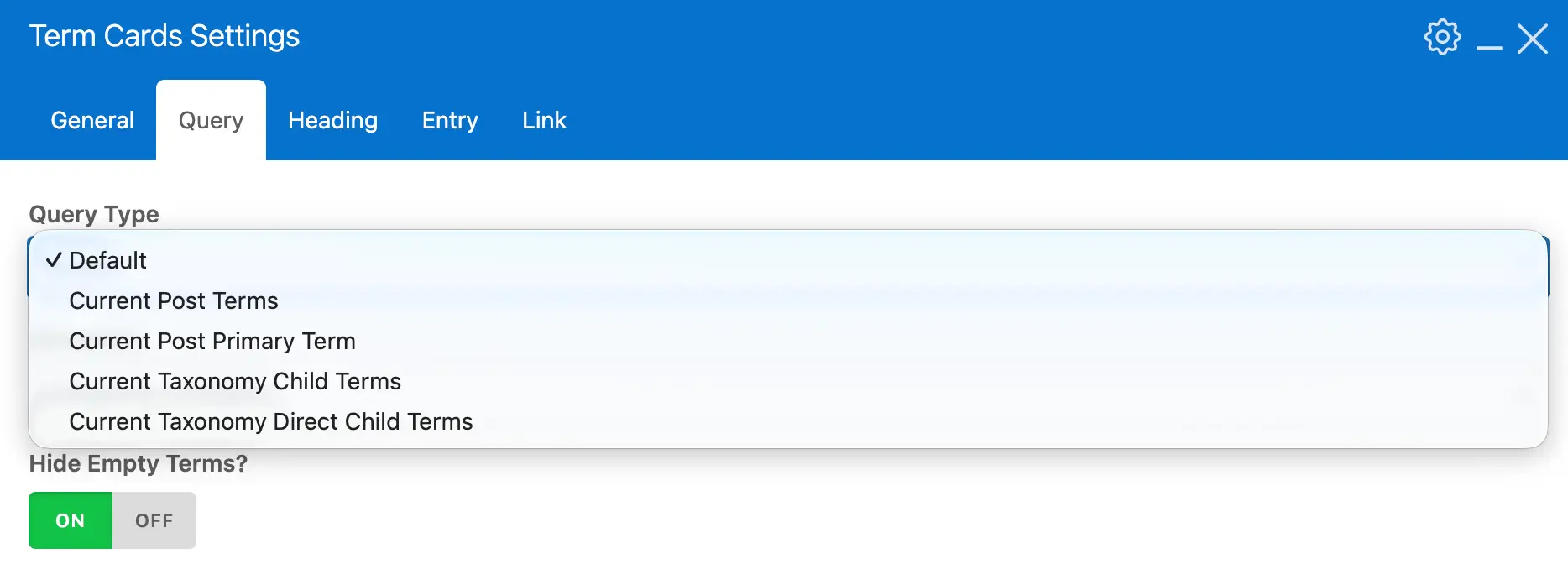
This allows you to show related posts or terms when building dynamic post templates or archive templates, making it easy to create more contextual and dynamic layouts.
Imagine you have a blog post titled “Best Hiking Trails in California” that belongs to the categories Hiking and Travel.
In your single post dynamic template, instead of manually selecting categories in the Term Cards element, you would set the Query to Dynamic → Current Post Terms (Category). The layout would then automatically:
- Detect the categories assigned to the current post.
- Loop through those terms.
- Display a section for each category with related posts.
Your page might render something like:
Hiking
- Post: “Top 10 Day Hikes in Yosemite”
- Post: “Best Hiking Gear for Beginners”
- Post: “Hidden Trails in California”
Travel
- Post: “Road Trip Guide to California Parks”
- Post: “Best National Parks to Visit in Spring”
- Post: “Weekend Travel Itineraries in the West”