If you are adding text blocks or headings to your site and notice the font family or colors are not matching your theme styles, it’s usually because Elementor’s default styling is still active.
By default, Elementor applies its own global fonts and colors, which can override your theme settings. You can fix this by disabling Elementor’s default styles so it properly inherits typography and colors from your theme.
Steps
- Go to WordPress Dashboard → Elementor → Settings
- Open the General tab
- Enable Disable Default Colors
- This disables Elementor’s global color system and allows your theme colors to be used instead.
- Enable Disable Default Fonts
- This removes Elementor’s default typography and lets your theme control the fonts.
- Click Save Changes
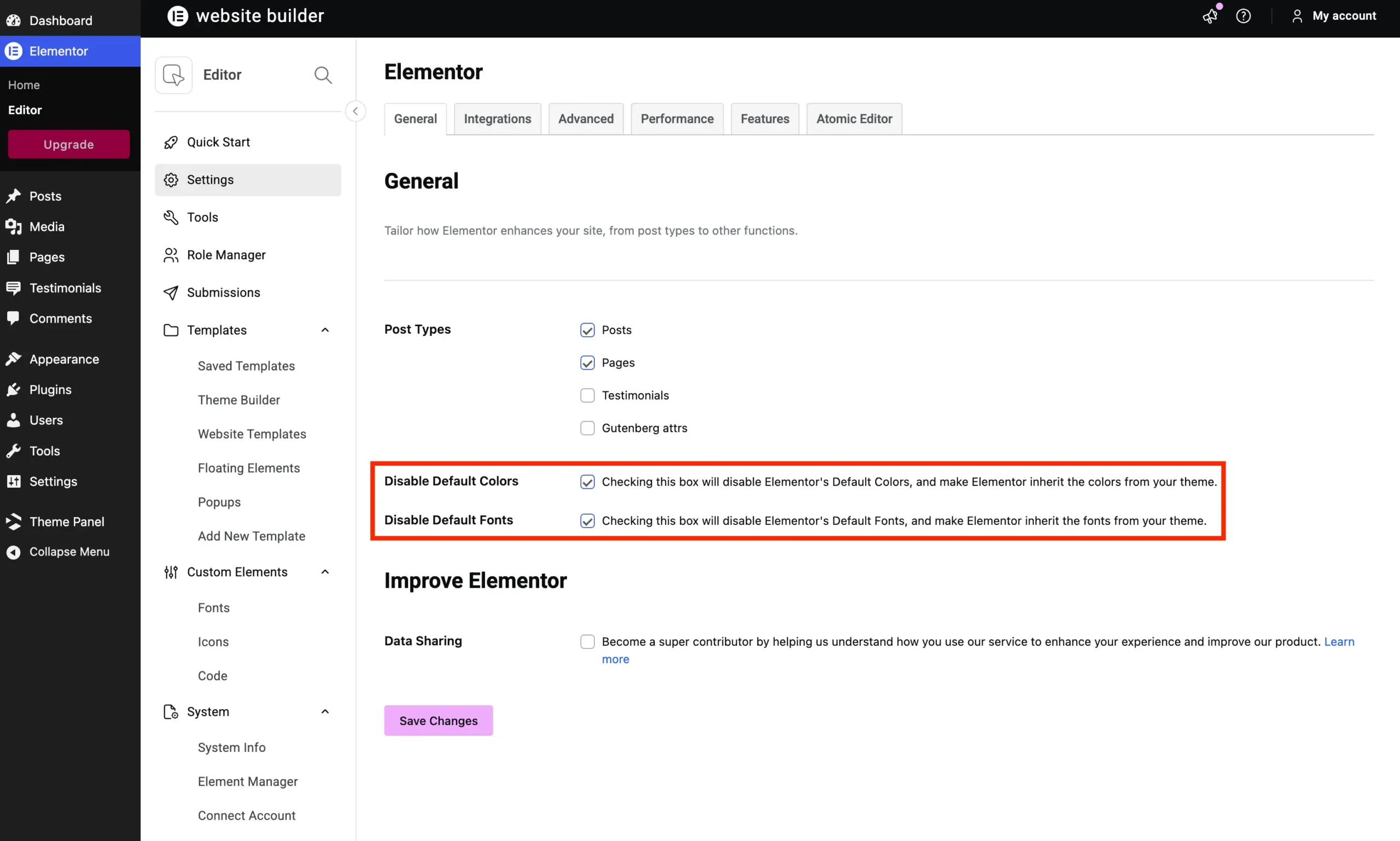
Once both options are enabled, Elementor will stop overriding your theme styles and your text and heading widgets should automatically match your site’s design system.