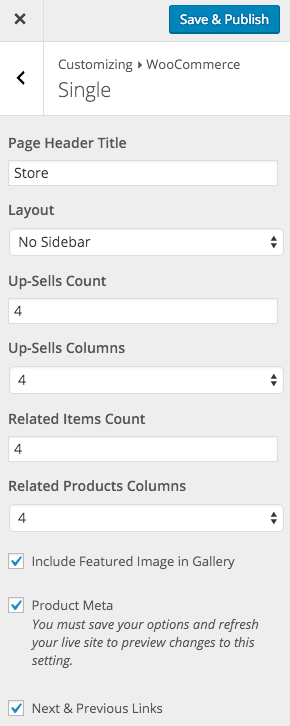
The Total WordPress theme includes built-in support for the WooCommerce plugin and hence it also includes options to easily change the number of columns displayed for your products on the shop, related, cross-sells and up-sells. Simply log into WordPress and go to Appearance > Customize > WooCommerce to make your edits.
Shop & Category Columns
To change columns on the main shop page and on the product categories/tags click on the “Archives” tab in the WooCommerce customizer section and alter the “Shop Columns” setting.

Up-Sells & Related Item Columns
To change the number of columns and items displayed for the WooCommerce Up-Sells and Related Items click on the “Single” tab in the Customizer WooCommerce settings and here you will be able to make your modifications.