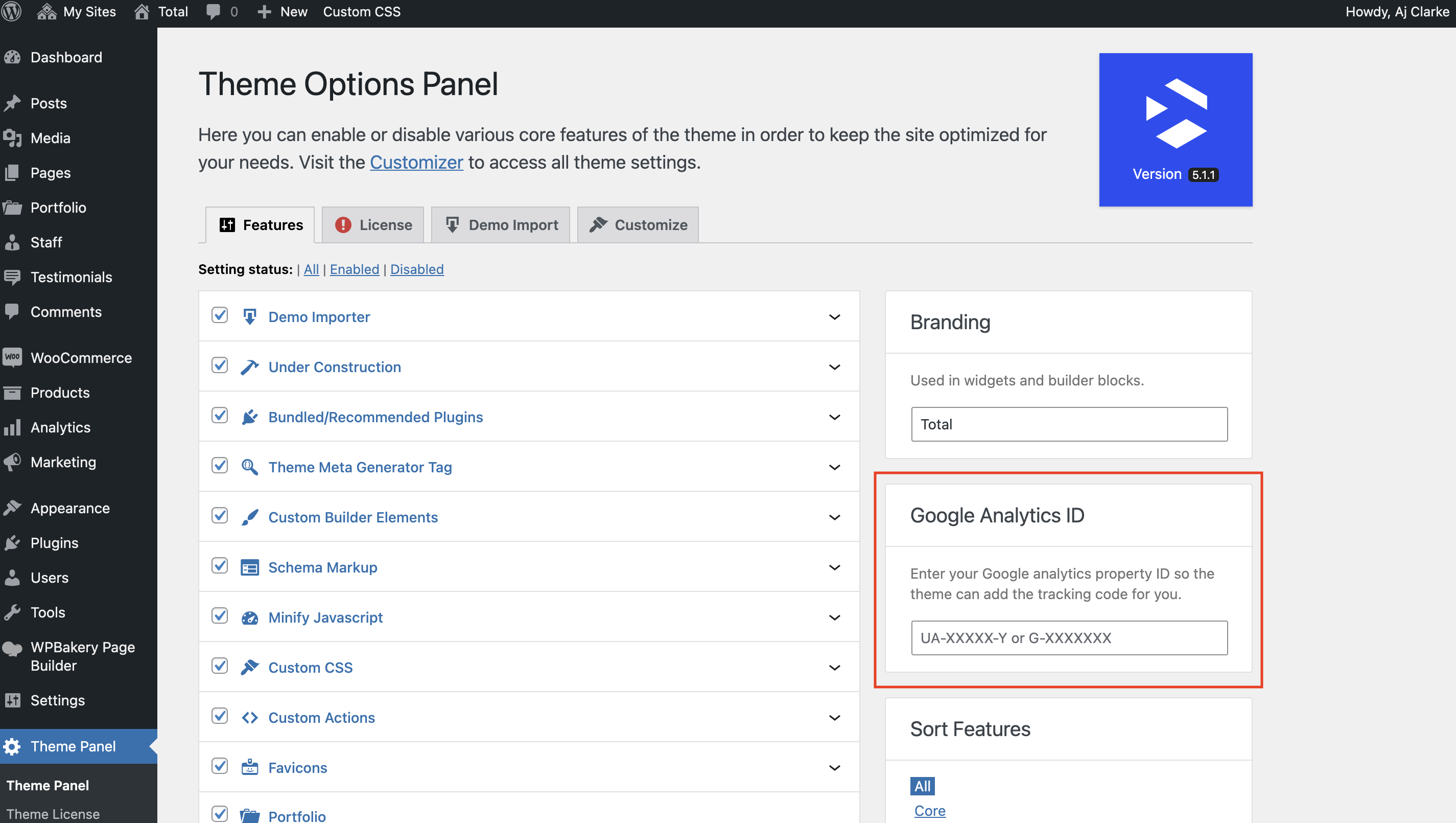
The Total theme includes a built-in field to easily add your Google analytics tracking ID to your site so the theme will then insert the standard code needed for tracking.
Important: Privacy & GDPR Compliance Notice
Adding Google Analytics tracking to your website may require visitor consent depending on your location and applicable privacy laws, such as the GDPR, ePrivacy Directive, or similar regulations.
The Total theme provides a simple way to add your Google Analytics tracking ID and outputs the required Google Analytics script. However, the theme does not provide cookie consent management, block tracking scripts before consent, or determine when analytics tracking should load.
To help comply with privacy regulations, Google Analytics should be configured to load only after the visitor has provided the required consent. A dedicated cookie consent solution can manage visitor preferences and prevent analytics scripts from loading until consent has been granted. Many popular cookie consent plugins can automatically detect and manage scripts added by themes and plugins.
You are responsible for ensuring your website’s tracking setup, privacy policy, cookie disclosures, and consent mechanisms comply with the laws applicable to your visitors.