The Total WordPress theme lets you easily customize your login page to match your brand. With built-in options, you can change the logo, background, form colors, buttons, and even hide default WordPress links – all without touching a single line of code.
To get started, go to Theme Panel > Custom Login – make sure the first setting, “Enabled”, is toggled on, and adjust any settings to fit your needs.
What You Can Customize
Total gives you full control over your login page’s look and feel, including:
- Logo: Upload your own logo to replace the default WordPress logo.
- Background: Set a custom background color or image for a branded login experience.
- Form Colors: Adjust the login form’s fields, borders, and text colors.
- Form Width & Position: Make your form bigger or smaller and modify it’s default position such as centering it on the page.
- Button Styles: Change the login button’s color, hover effect, and text style.
- Language Switcher: Hide the default lang switcher dropdown.
Why Customize Your Login Page?
Customizing your login page isn’t just about aesthetics, it also:
- Reinforces your brand identity.
- Creates a professional and consistent experience for users.
- Makes your site feel unique and polished, especially for clients or membership sites.
Quick Look
Here’s a screenshot showing where the login page settings are located in Total Theme.
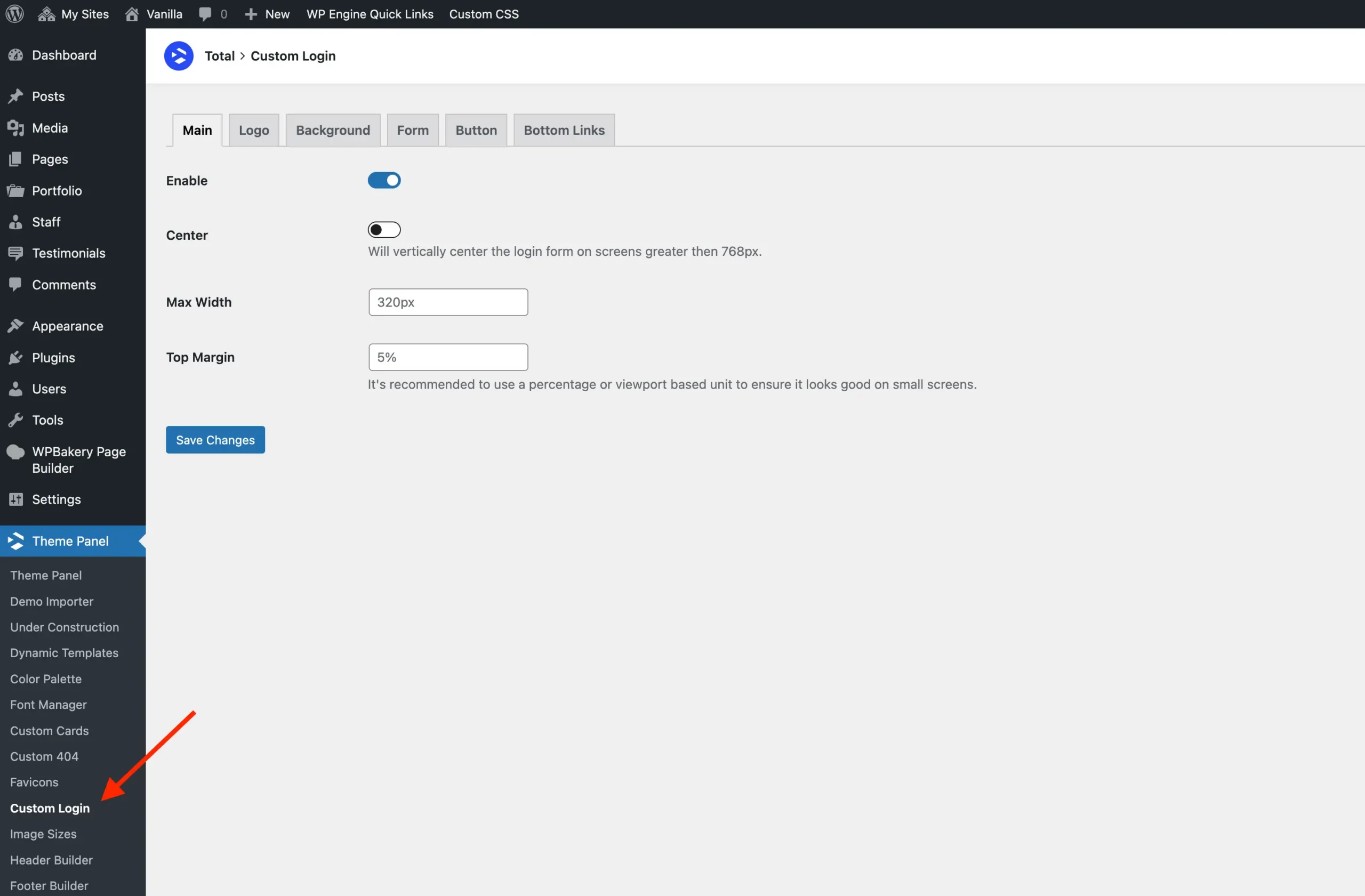
With just a few clicks, you can tweak all the settings to create a login page that fits your site perfectly.
Summary
Even a simple login page can make a big impression. Total Theme’s customization options let you brand and style your WordPress login page easily, giving your site a professional and polished look.
If you with to disable the Custom Login you can do so in the main theme panel.