WPBakery page builder elements are essentially WordPress shortcodes, which makes creating a new element very straightforward.
To add one, you simply register a new shortcode using WordPress’s add_shortcode function, and then use WPBakery’s vc_lean_map function to integrate it with the page builder and define its options.
Below is a simple class example demonstrating how to create a basic custom element through your child theme or a custom plugin.
<?php
/**
 * Adds new shortcode "myprefix_say_hello" and registers it to
 * the WPBakery Page Builder plugin
 */
if ( ! class_exists( 'MyPrefix_Say_Hello_Shortcode' ) ) {

    class MyPrefix_Say_Hello_Shortcode {

        /**
         * Main constructor
         */
        public function __construct() {

            // Register the shortcode in WordPress
            add_shortcode( 'myprefix_say_hello', array( self::class, 'output' ) );

            // Map shortcode to WPBakery so you can access it in the builder
            if ( function_exists( 'vc_lean_map' ) ) {
                vc_lean_map( 'myprefix_say_hello', array( self::class, 'map' ) );
            }
        }

        /**
         * Shortcode output
         */
        public static function output( $atts, $content = null ) {

            // Extract shortcode attributes based on vc_lean_map settings
            $atts = vc_map_get_attributes( 'myprefix_say_hello', $atts );

            // Start output
            $output = '<div class="my-hello-element">';

            // Display custom heading if enabled and set
            if ( isset( $atts['show_heading'] ) && 'yes' === $atts['show_heading'] && ! empty( $atts['heading'] ) ) {
                $output .= '<h2 class="my-hello-element__heading">' . esc_html( $atts['heading'] ) . '</h2>';
            }

            // Display content
            $output .= '<div class="my-hello-element__content">';
                if ( $content ) {
                    $output .= wp_kses_post( $content );
                } else {
                    $output .= 'Hello';
                }
            $output .= '</div>';

            // Close element
            $output .= '</div>';

            return $output;
        }

        /**
         * Map shortcode to WPBakery.
         */
        public static function map() {
            return array(
                'name'        => esc_html__( 'Say Hello', 'locale' ),
                'description' => esc_html__( 'Shortcode outputs Hello.', 'locale' ),
                'base'        => 'myprefix_say_hello',
                'params'      => array(
                    array(
                        'type'       => 'dropdown',
                        'heading'    => esc_html__( 'Show Heading?', 'locale' ),
                        'param_name' => 'show_heading',
                        'value'      => array(
                            esc_html__( 'No', 'locale' )  => 'no',
                            esc_html__( 'Yes', 'locale' ) => 'yes',
                        ),
                    ),
                    array(
                        'type'       => 'textfield',
                        'heading'    => esc_html__( 'Heading', 'locale' ),
                        'param_name' => 'heading',
                        'dependency' => array( 'element' => 'show_heading', 'value' => 'yes' ),
                    ),
                    array(
                        'type'       => 'textarea_html',
                        'heading'    => esc_html__( 'Custom Text', 'locale' ),
                        'param_name' => 'content',
                    ),
                ),
            );
        }

    }

}

// Initialize the shortcode
new MyPrefix_Say_Hello_Shortcode();
Result
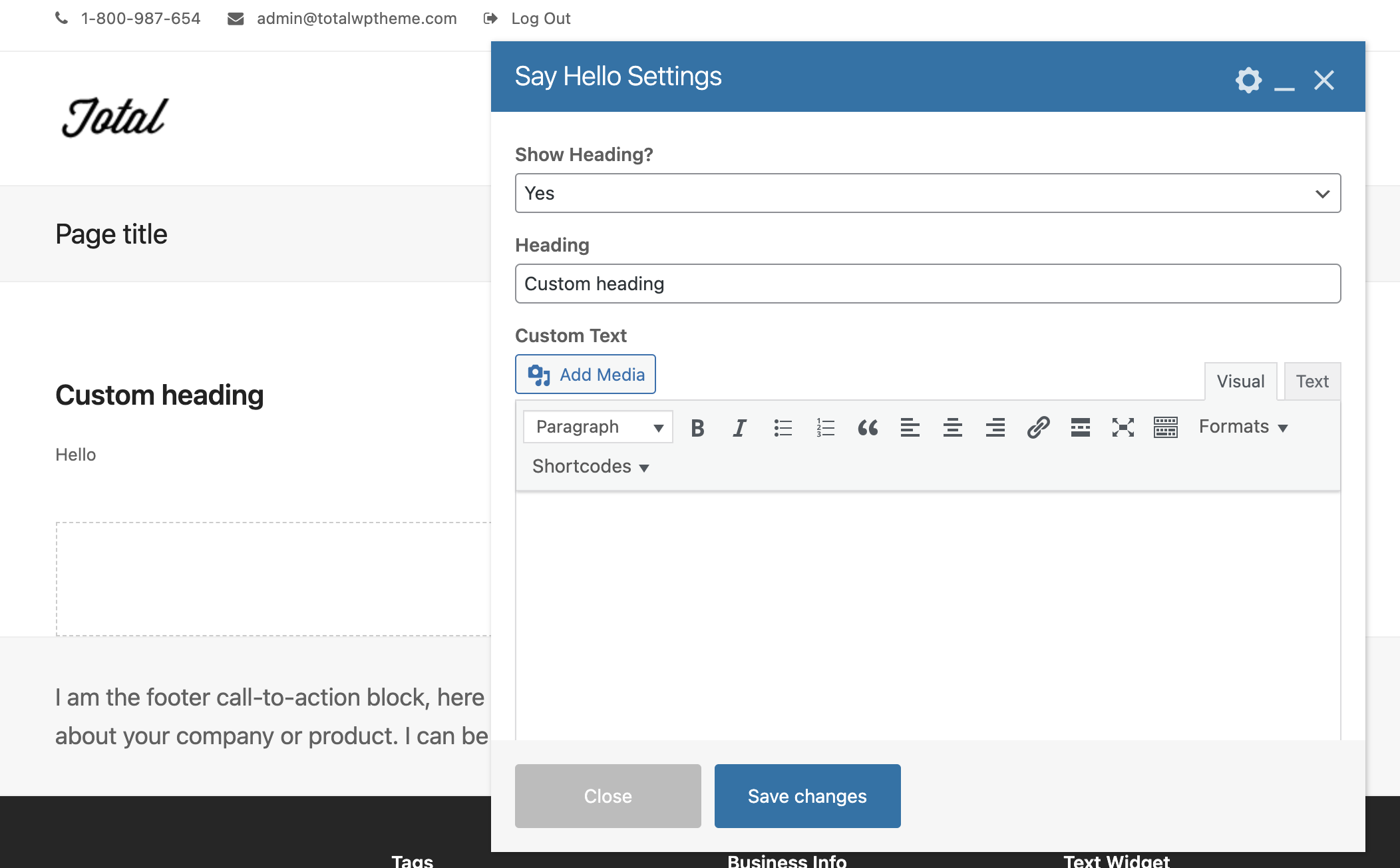
You should now have a new “Say Hello” element registered for use in the WPBakery page builder which would look like this: