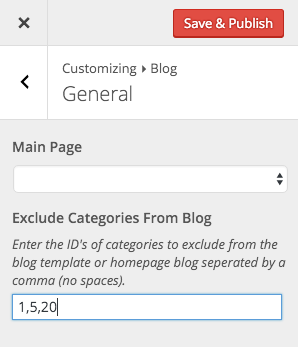
The Total theme already includes a built-in option for excluding categories from your main blog page due to the high requests. Simply log into WordPress and go to Appearance > Customize > Blog > General and enter the ID’s of the categories you wish to exclude into the field that says “Exclude Categories From Blog“.
If you need more options, such as limiting tags, you can do this via a child theme function or use a 3rd party plugin (there are many free ones out there for this).