When you are using the “Post Types Grid” module there is an option where you can select to “Filter by Taxonomy” and if enabled it will give you a field to enter the taxonomy name and another field to enter the terms. If you are new to WordPress or just not familiar with taxonomies this may be very confusing, but it’s actually very simple!
Total’s Built-in Taxonomies
The following is a list of all the taxonomies built-into the Total theme and their names
- Post Series: post_series
- Portfolio Category: portfolio_category
- Portfolio Tag: portfolio_tag
- Staff Category: staff_category
- Staff Tag: staff_tag
- Testimonials Category: testimonials_category
Locating a Taxonomy Name
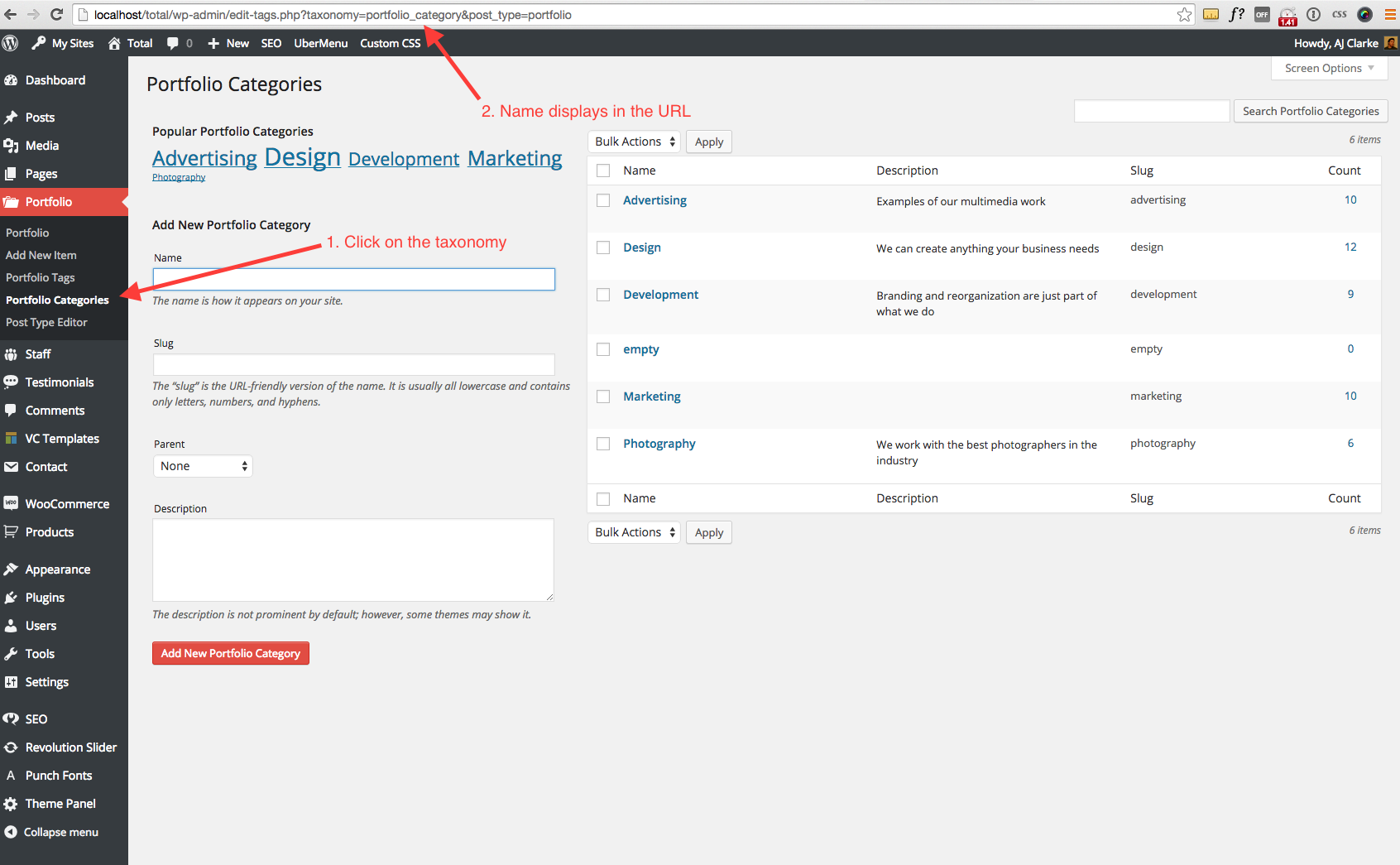
The taxonomy name is the name given to the Taxonomy when it’s registered using the register_taxonomy function. Below is a screenshot of one of the portfolio_category taxonomy and example of how to see what the name is:
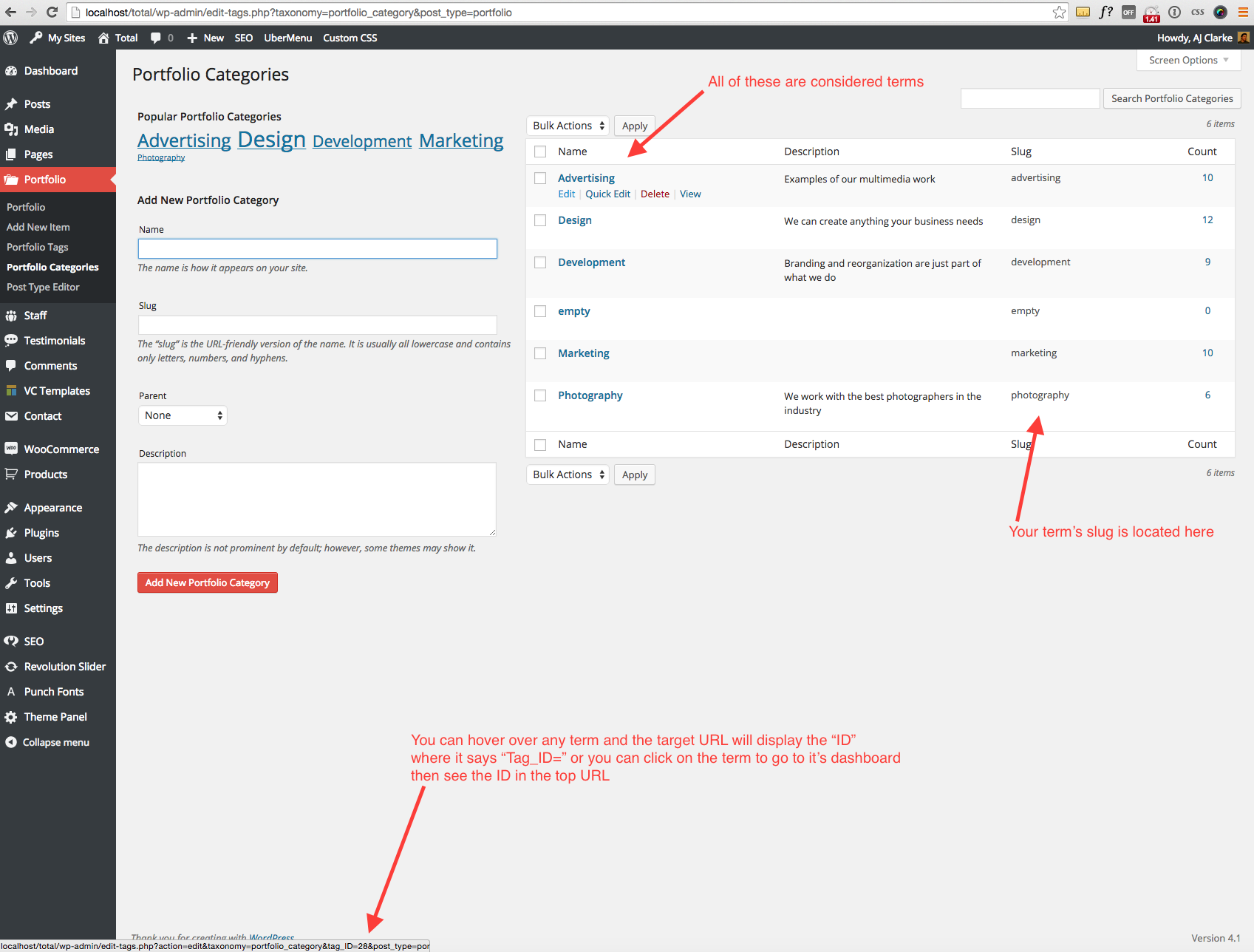
Locating A Taxonomy Term Slug and ID
Terms have both a “slug” and “ID” (just like standard posts/pages) so you can query them using either. In Total I mostly use the slug because it’s more obvious when you are looking at the slug to see what it is as opposed to a number. The screenshot below though will show you how to retrieve both of those: