Whenever you purchase a product from ThemeForest or any other Envato marketplace your purchase includes a unique license/purchase code. This code while it does nothing in of itself, can be activated on some products to receive access to premium features and updates.
You actually have 2 options for locating your purchase code.
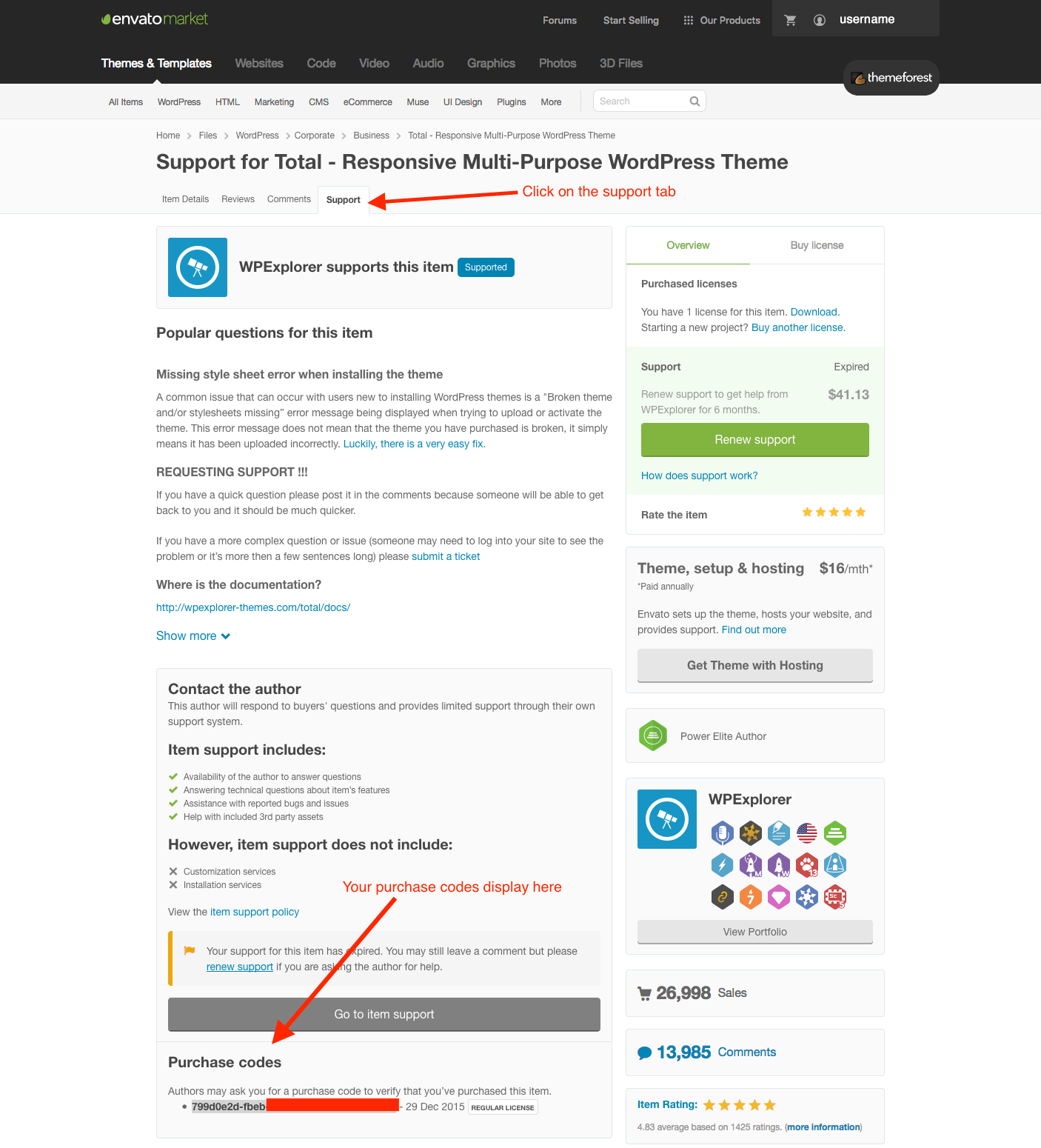
Option 1: Via the ThemeForest Theme’s “Support” tab
- Step 1: Log into ThemeForest/Envato
- Step 2: Browse to the item you purchased (you can click on the downloads tab to view all your purchases)
- Step 3: Click on the Support tab on the product page
- Step 4: Locate the purchase code at the bottom of this page
Option 1: Using the WPExplorer Private Support Dashboard
- Step 1: Log into the WPExplorer Private Support dashboard
- Step 2: Click on the license code to select it and then copy it
