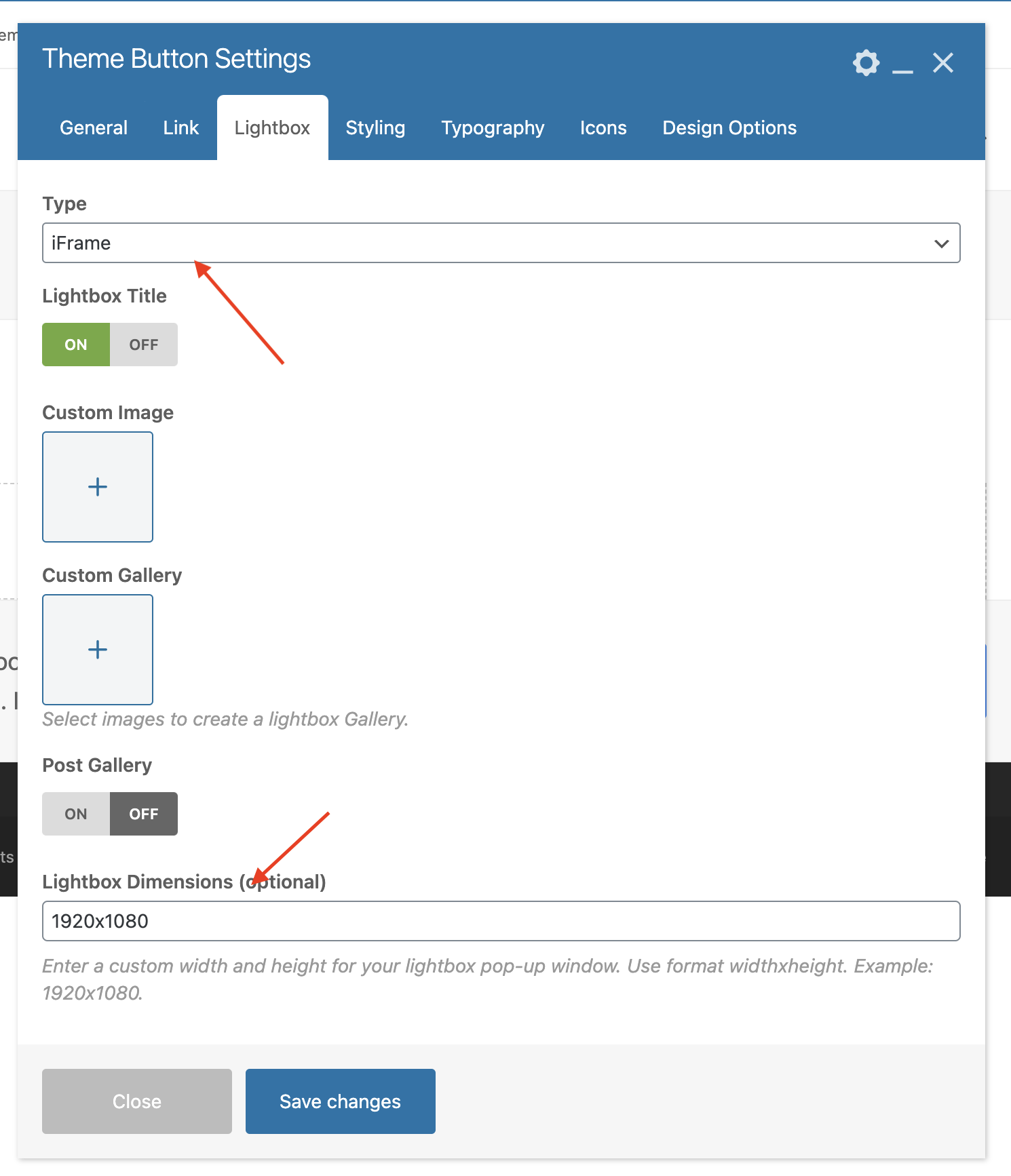
The Total theme includes the popular Fancybox script which is a very popular and extensive lightbox solution which supports iFrames, which means you to easily open any Wistia video using lightbox. To do so simply follow the steps below:
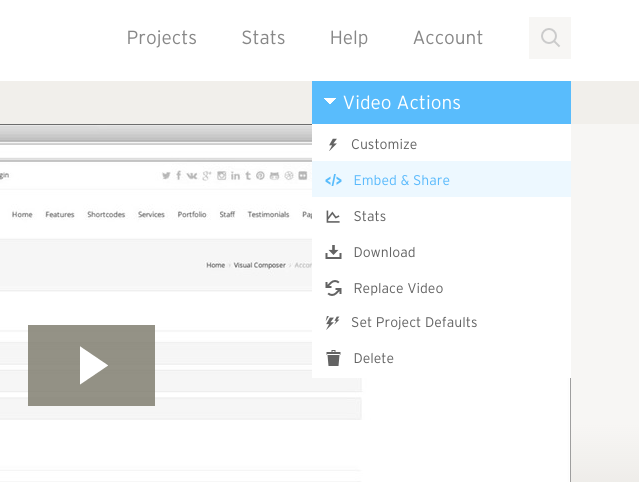
Step 1: Locate Your Wistia Video iFrame src
This is very simple to do, have a look at the screenshots below:
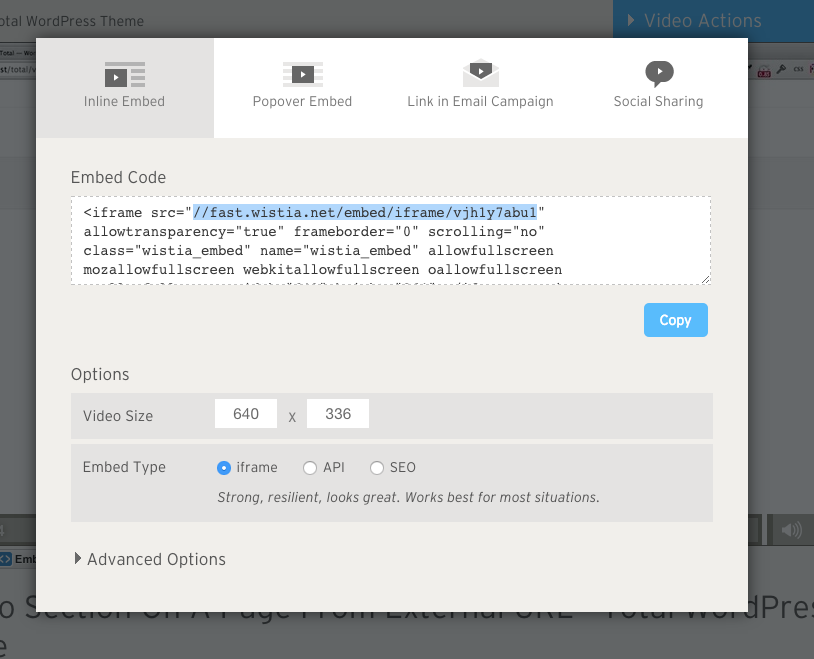
The URL should have the following format:
https://fast.wistia.com/embed/iframe/{video_id}
Where {video_id} is your Video ID.
Step 3: Add Link to a Total WPBakery Element.
- Insert a new Total Element such as the Theme Button.
- Browse to the Link Tab.
- Select “Open Custom Lightbox” from the “On click action”.
- Enter your embed URL into the URL field.

Step 3: Modify The Lightbox Settings
Now make sure you have selected “iFrame” for the Lightbox Type and you can enter custom dimensions if wanted as well.