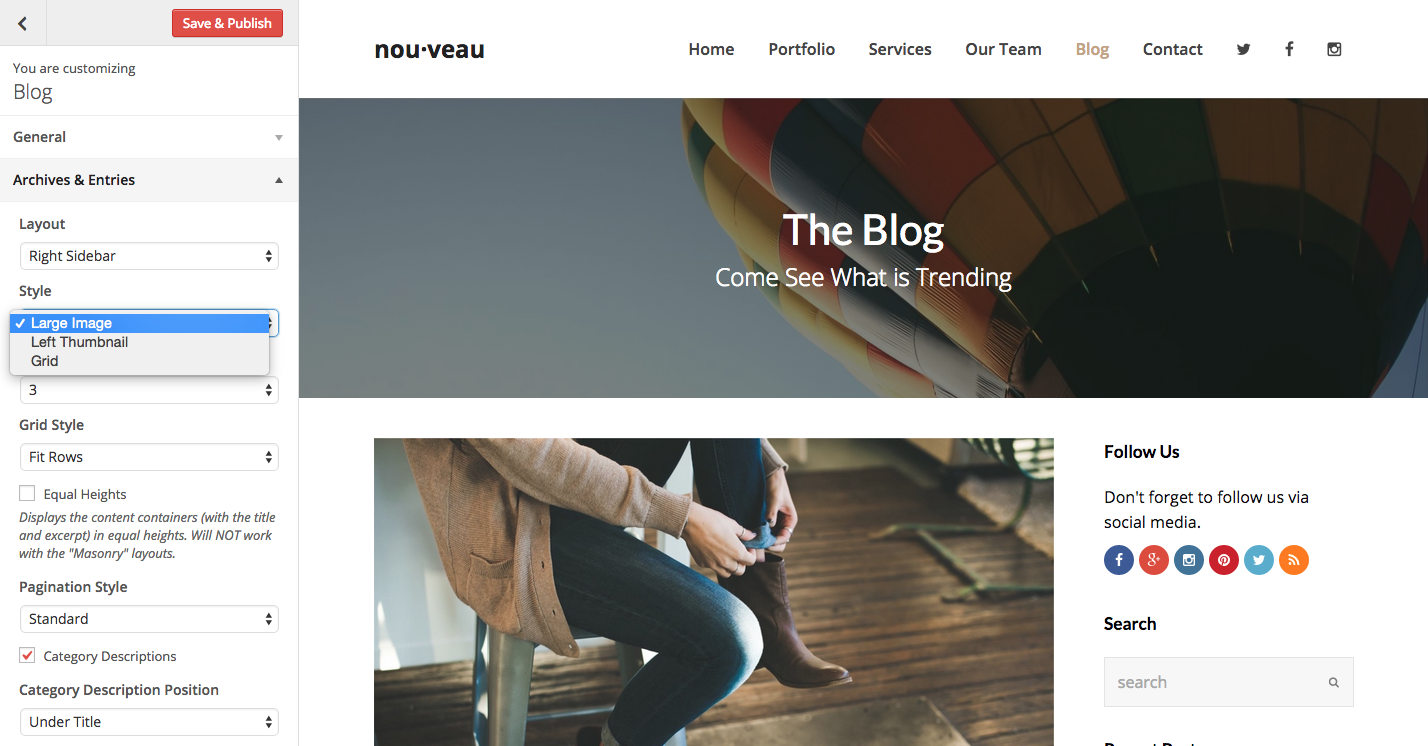
The Total theme includes various “Blog Styles” for your standard post entries. This will allow you to show your posts in the default way but also as a grid or in a left/right layout.
- Default Style – Large image and content below
- Grid Style – Choose between 2, 3, 4 columns (masonry or fitrows)
- Left Thumbnail – Image is placed on the left and content on the right
Global Setting
To change your blog setting all you have to do is browser to Appearance -> Customize -> Blog > Archives & Entries and alter the style for your archives.
Category Specific Setting
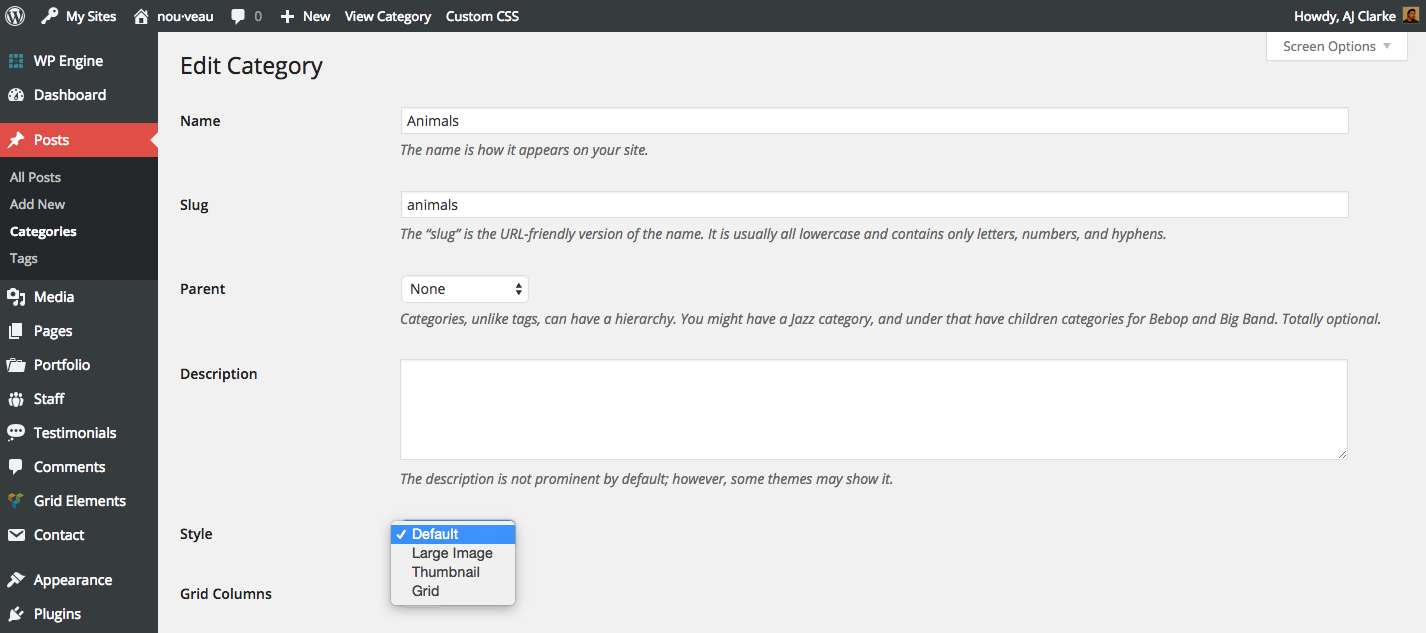
You can also select a specific blog style for specific categories. Simply go to edit your Category and select your category specific options.
Theme Filter
For more advanced edits you can use the theme filter. Please see the example snippet here.